The Ultimate Guide to CRM Reporting Tools
CRM Reporting vs. Dashboards: Knowing the Difference
When you start exploring CRM reporting tools, you’ll quickly encounter two terms that are often used interchangeably: reports and dashboards. While they work together, they serve very different purposes in your daily operations.
Think of a CRM report as a deep dive. It is a detailed breakdown of your data, typically presented in a table or list format. Reports are designed for analysis. If you need to see a list of every deal closed in West Ashley last month, including the lead source, the salesperson, and the final contract value, you run a report. Reports help you spot historical patterns and perform trend analysis over long periods.
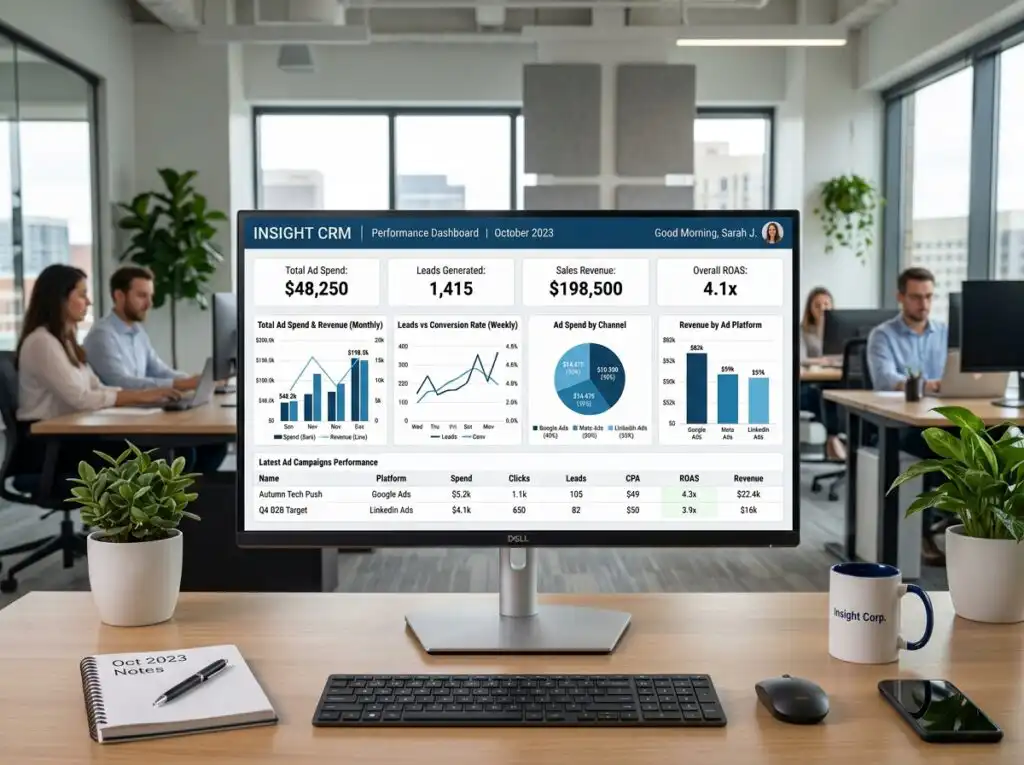
A CRM dashboard, on the other hand, is your “live scoreboard.” It provides visual snapshots of your most important metrics using charts, gauges, and heat maps. While a report tells you the “why” and the “how,” a dashboard gives you the “what’s happening right now.”
Data visualization is powerful; statistics show it correlates with a 33% increase in insights-driven decision-making and a 26% decrease in the time it takes to analyze information. For a business owner in the Lowcountry, a dashboard might show a real-time KPI of how many new leads came in today from a specific neighborhood, while the underlying report allows your manager to audit those leads for quality.
Why Your Charleston Business Needs CRM Reporting Tools
In a thriving market like Charleston, from the historic district to the growing tech corridor in North Charleston, staying competitive means moving faster than the “guesstimations” of your competitors. We see too many businesses struggling with “leaky sales funnels” simply because they can’t see where the holes are.
CRM reporting tools are essential for three main reasons:
- Sales Forecasting Accuracy: We know that sales reps spend about 2.5 hours a week creating forecasts manually, yet many don’t trust their own data. Automated reporting takes the “hope” out of the equation and replaces it with historical probability.
- Pipeline Health: Are your deals stuck in the “Negotiation” phase for too long? Reporting tools highlight bottlenecks before they become cash-flow crises.
- Local Industry Relevance: Whether you are in real estate in Mount Pleasant or home services in Summerville, your metrics matter. For instance, a property management firm needs to track vacancy-to-lease conversion rates, while a tourism-based business needs to monitor seasonal lead spikes.
By implementing marketing automation services, you can tie these reports directly to your outreach. Instead of wondering if your latest ad campaign worked, you can see the exact ROI of every dollar spent.
Key Benefits of Modern CRM Reporting Tools
- Customer Retention: Reports can flag “quiet” customers who haven’t interacted with your brand in 90 days, allowing for automated follow-up.
- Team Accountability: See exactly which team members are hitting their activity quotas and who needs more support.
- Resource Allocation: Stop spending money on lead sources that don’t convert. If your email leads convert at 12% while paid media leads only convert at 5%, your reporting will tell you exactly where to shift your budget.
- Scalable Growth: You cannot manage what you do not measure. Reporting provides the data-driven foundation needed to hire your next rep or open a second location in Greenville or Columbia.
Evaluating CRM Reporting Tools for ROI
When we help clients evaluate CRM reporting tools, we focus on the metrics that actually move the needle. It’s easy to get distracted by “vanity metrics” like social media likes. Instead, look for tools that calculate:
- Conversion Rates: From anonymous visitor to qualified lead to won deal.
- Customer Lifetime Value (CLV): How much is a client really worth over five years?
- Cost Per Acquisition (CPA): Are you spending $500 to acquire a $400 customer?
- Marketing Spend Efficiency: Identifying which Charleston neighborhoods or segments are most profitable.
The 6 Most Powerful Reports for Data-Driven Growth

To truly escape the chaos of disconnected tools, your team should be running these six core reports:
- Profitability Analysis: Not all revenue is created equal. This report identifies your most profitable services and clients, helping you focus on “high-margin” growth.
- Sales Cycle Duration: How long does it take to go from a first phone call to a signed contract? If your average cycle is 30 days but some leads are taking 90, you have a friction point.
- Sales Pipeline Health: A visual “GPS” for your revenue. It shows the total value of deals at every stage, from initial discovery to closing.
- Forecast Accuracy: Compares your predicted sales against actual results. This is the “magic crystal ball” that helps you plan for staffing and inventory.
- Conversion by Lead Source: Did that lead come from your search engine optimization efforts, a referral, or a local event on Daniel Island? This report tells you which channels are your true “revenue engines.”
- Goal Progress Tracking: A simple but effective way to keep the team aligned. It shows exactly how close you are to monthly or quarterly targets in real-time.
Essential Features of High-Performance Reporting Software
The “best” tool is the one your team actually uses. When selecting CRM reporting tools, look for these non-negotiable features:
- Customization: You should be able to build reports from scratch using a drag-and-drop editor. “Canned” or pre-built reports are a great starting point, but every business has unique data points.
- Real-Time Data: In a fast-moving market like Charleston, yesterday’s data is already old. Your reports should update the moment a deal moves stages.
- AI-Powered Insights: Modern tools now use AI to spot anomalies. For example, if your sales in Sullivan’s Island suddenly dip below the predicted trend, the system can flag it for review automatically.
- Multi-App Integration: The average company now uses over 900 apps. Your CRM must be the “central hub” that talks to your accounting software, your website, and your email marketing.
- Mobile Accessibility: Your sales reps in the field in West Ashley or Summerville need to be able to check their pipeline and record activities via talk-to-text on their phones.

Building a Unified Digital Ecosystem with CORE CONNECT
At CORE CONNECT, we believe that a CRM is only as good as the ecosystem it lives in. Many small businesses in the Lowcountry suffer from “fragmented tech syndrome”—they have a website from one person, an SEO guy in another state, and a CRM they barely know how to log into.
We replace that chaos with a single, powerful operating system. Our platform-first approach centered around the Reveal Marketing Hub ensures that you aren’t just collecting data—you are owning it.
When we build a custom website or implement a strategic SEO plan, we aren’t just looking for clicks. We are building a data-driven foundation that identifies anonymous visitors and feeds them directly into your CRM reporting tools. This gives you total clarity on your ROI and allows for automated follow-up that happens while you sleep.
Whether you are a boutique law firm in downtown Charleston or a home services company serving the entire state of South Carolina, we help you transition from being a “service-dependent” business to an “owner-operator” of a scalable digital asset.
Frequently Asked Questions about CRM Reporting
What is the difference between a canned report and a custom report?
A “canned” report is a pre-built template provided by the CRM software (e.g., “Total Sales This Month”). These are great for beginners. A custom report is one you build yourself, allowing you to “mash up” different data sets—like comparing your Google Ads spend against the actual revenue generated by those specific leads.
How often should our sales team review CRM reports?
Dashboards should be monitored daily to keep an eye on immediate KPIs. However, a deep-dive reporting review should happen weekly during sales meetings to discuss pipeline movement, and monthly to analyze long-term trends and ROI.
Can CRM reporting help improve customer retention?
Absolutely. By running “churn” or “interaction” reports, you can identify customers who haven’t been contacted recently. You can then trigger automated workflows to send them a “we miss you” offer or a check-in email, preventing them from slipping through the cracks.
Conclusion

The journey from data chaos to strategic clarity doesn’t have to be overwhelming. By choosing the right CRM reporting tools and integrating them into a unified digital ecosystem, you gain the control and confidence needed to scale your business.
Stop guessing where your next lead is coming from and start measuring the results that matter. Whether you’re looking to optimize your sales funnel or implement the full power of the Reveal Marketing Hub, our team at CORE CONNECT is here to help you build a foundation for long-term growth.
Ready to see what a unified system can do for your Charleston business?
Schedule a Free Consultation or Book a 30-Minute Discovery Call today. Let’s turn your data into your greatest competitive advantage.
Contact Us:
Email: hello@coreconnect.com
Web: coreconnect.com