The Essential Guide to Real Time Visitor Tracking
Introduction
Why Most Websites Are Leaking Leads Right Now
Real time visitor tracking is the practice of monitoring website visitor activity as it happens — giving you live data on who is on your site, what they’re doing, and where they came from.
Here’s a quick answer to what it does and why it matters:
- What it is: Software that captures visitor behavior (pages viewed, location, session duration, traffic source) the moment it occurs — not hours later
- How it works: A lightweight script on your website sends data to a live dashboard using technologies like WebSockets and first-party cookies
- What you can see: Active visitors, their geographic location, current page, device, referral source, and in many cases the company they work for
- Who it’s for: Any business that wants to stop guessing and start knowing what’s happening on their website right now
- Why it matters: Most analytics tools only show you yesterday’s data — real-time tracking shows you this moment, so you can act on it
Here’s a problem that’s more common than most business owners realize.
You’re spending money on a website. Maybe some SEO, maybe ads. People are visiting. But you have no idea who they are, what they looked at, or why they left without contacting you.
That’s not a traffic problem. That’s a visibility problem.
According to research, anonymous visitor tracking tools typically identify only around 10–30% of website traffic — which means the vast majority of people who visit your site leave without a trace. For a local service business in Charleston, every one of those unknown visitors could be a qualified lead.
Real time visitor tracking closes that gap. Instead of reviewing a report at the end of the week, you see activity as it unfolds — and that changes how you respond, follow up, and convert.
I’m Stephen Sovenyhazy, founder of CORE CONNECT, and over more than 20 years of building and scaling digital platforms across industries like real estate, healthcare, and home services, I’ve seen how real time visitor tracking transforms anonymous web traffic into measurable sales opportunities. In this guide, I’ll walk you through exactly how to set it up, use it effectively, and make it work for your business.
Quick look at Real time visitor tracking:
The Strategic Power of Real time visitor tracking
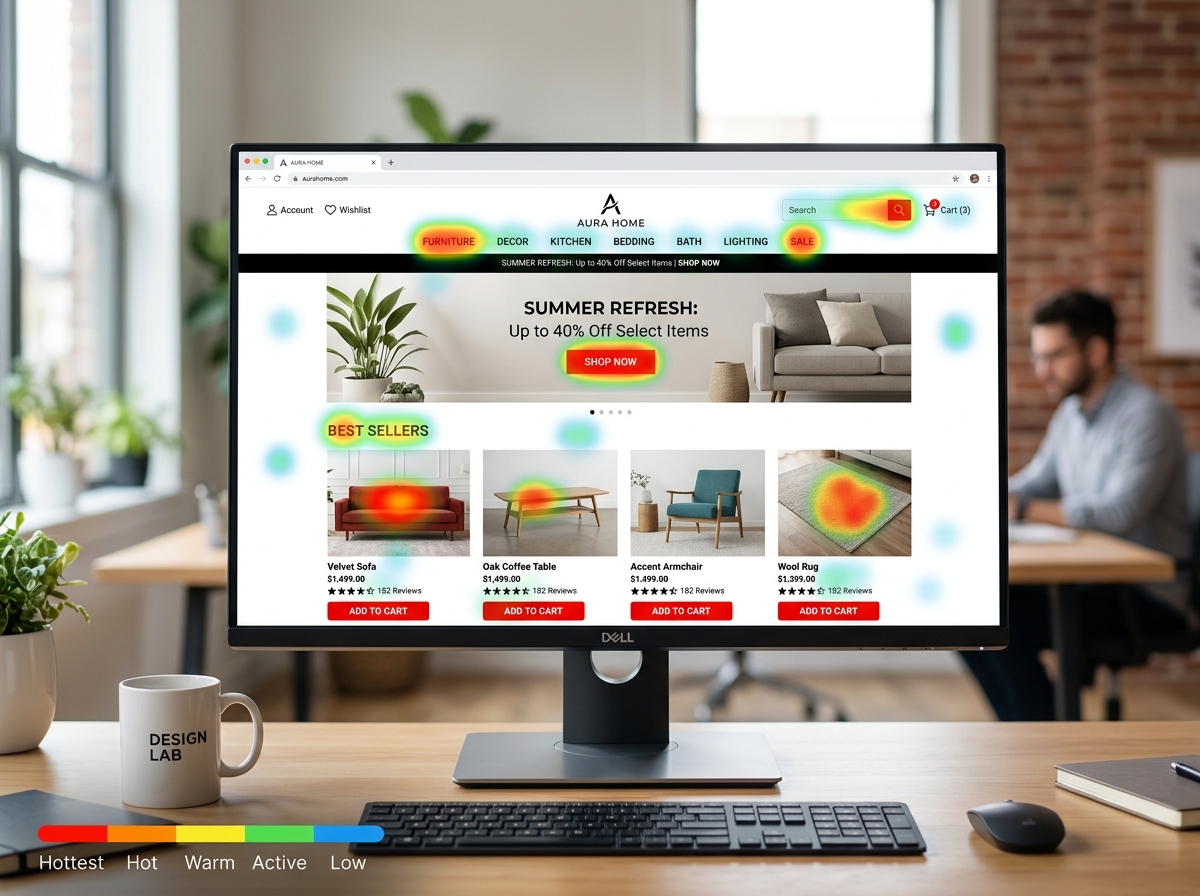
Traditional web analytics are like looking at a bank statement at the end of the month. You see what was spent and where the money went, but you can’t stop a bad purchase while it’s happening. Real time visitor tracking is more like a live security feed of your storefront. It allows us to see exactly how many people are browsing your “aisles” right now, which products they are lingering on, and where they are getting stuck.
While traditional tools like GA4 are excellent for long-term trend analysis, they often suffer from data processing delays. In contrast, live monitoring provides an immediate pulse. We can track metrics like session duration and bounce rate as they occur. If we notice a sudden spike in bounces on a specific landing page in Mount Pleasant, we don’t have to wait until next Tuesday’s meeting to fix it; we can address the technical glitch or confusing copy immediately.
Understanding user behavior insights is the difference between a website that just sits there and one that actually sells. By watching live journeys, we can identify “rage clicks” (when a user clicks a button repeatedly because it isn’t working) or “u-turns” where a visitor hits a page and immediately flees. This granular level of visitor identification technology helps us bridge the gap between “we have traffic” and “we have customers.”
Technical Requirements for Real time visitor tracking
To make this magic happen without breaking your website, we rely on a few specific technologies:
- WebSockets: Unlike traditional “polling” where the browser asks the server for updates every few seconds, WebSockets keep a constant open line of communication. This allows data to stream instantly with zero refresh required.
- First-Party Cookies: These are used to assign a unique ID to a visitor so we can recognize them if they leave and come back later. Because they are “first-party” (created by your own domain), they are generally more privacy-compliant and reliable than third-party tracking.
- Lightweight Scripts: Performance is king. Modern tracking scripts are incredibly small—often under 1KB. This ensures that adding real time visitor tracking won’t hurt your Core Web Vitals or slow down your page speed, which is critical for both SEO and user experience.
Improving Conversions with Real time visitor tracking
The goal of any digital ecosystem we build for our Charleston clients is growth. By monitoring conversion funnels in real time, we can see exactly where the “leaks” are.
If a visitor from Daniel Island is on your pricing page for three minutes but hasn’t clicked “Contact Us,” that indicates high user intent but perhaps a final bit of hesitation. This is where proactive engagement comes in. Real-time data can trigger a live chat invitation or a specific pop-up offer tailored to that exact moment.
At CORE CONNECT, we integrate these insights directly into our Reveal Marketing Hub, creating a unified platform where your website activity feeds your sales team the information they need to close deals faster.
How to Set Up Live Monitoring for Your Website
Setting up real time visitor tracking doesn’t require a computer science degree, but it does require precision. Whether you are running a boutique real estate firm in Sullivan’s Island or a professional services agency in West Ashley, the process follows a standard path.
Most modern platforms use a JavaScript snippet (often called a tracking pixel). This small piece of code acts as the “eyes and ears” of your monitoring system. For businesses using WordPress, this is often as simple as using a header/footer plugin. For Shopify users, the code is typically placed in the theme.liquid file. However, the most “pro” way to handle this is through Google Tag Manager, which allows us to manage all your tracking scripts in one place without constantly editing your site’s source code.
| Feature | Free Tools (e.g., Microsoft Clarity) | Enterprise Solutions (e.g., Reveal Marketing Hub) |
|---|---|---|
| Live Heatmaps | Basic | Advanced/Interactive |
| Session Replay | Included | High-Definition + Filtered |
| Company Identification | None | Full Firmographic Data |
| CRM Integration | Limited | Native/Automated |
| Support | Community-based | Dedicated Expert Support |
Step 1: Generating Your Tracking Code
The first step is creating your account within your chosen tracking platform. Once your site URL is verified, the system will generate a unique script. This script contains a unique identifier specific to your business, ensuring that your data doesn’t get mixed up with anyone else’s.
Step 2: Deployment and Verification
Once you have the code, it needs to be placed correctly. We generally recommend placing the script in the header tags or just before the closing