
Reveal
Setup – Step 3 CRM Integration
HighLevel Integration: Connect Reveal to GHL
Reveal Website Visitor Identification & Remarketing platform integrates directly with the HighLevel full-suite agency CRM and marketing platform.
CORE CONNECT is a GoHighLevel (GHL) agency partner, which allows us to provision and manage a fully configured GHL account for our clients. With your Reveal subscription, we include a GoHighLevel account for the first year at no additional cost. All setup, configuration, and integration work is handled entirely by CORE CONNECT, so your system is ready to use from day one without any technical lift on your end.
HighLevel users can identify anonymous website visitors, enrich visitor contacts with business or consumer contact profiles, and sync contacts to HighLevel, where they can be tagged into marketing automation workflows.
Klaviyo Integration: Connect Reveal to Klaviyo
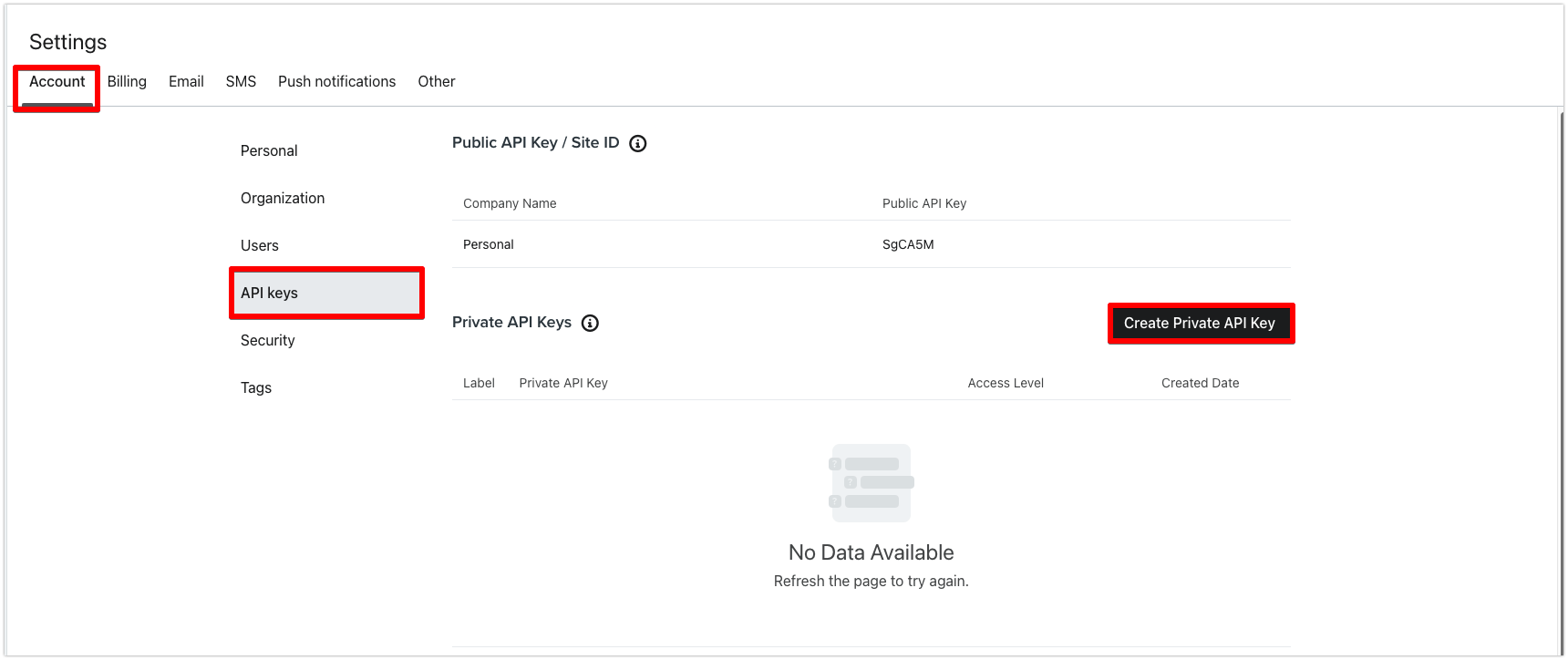
- Log in to your Klaviyo account and open Settings -> Account -> API keys (or follow this link ) Click Create Private API Key
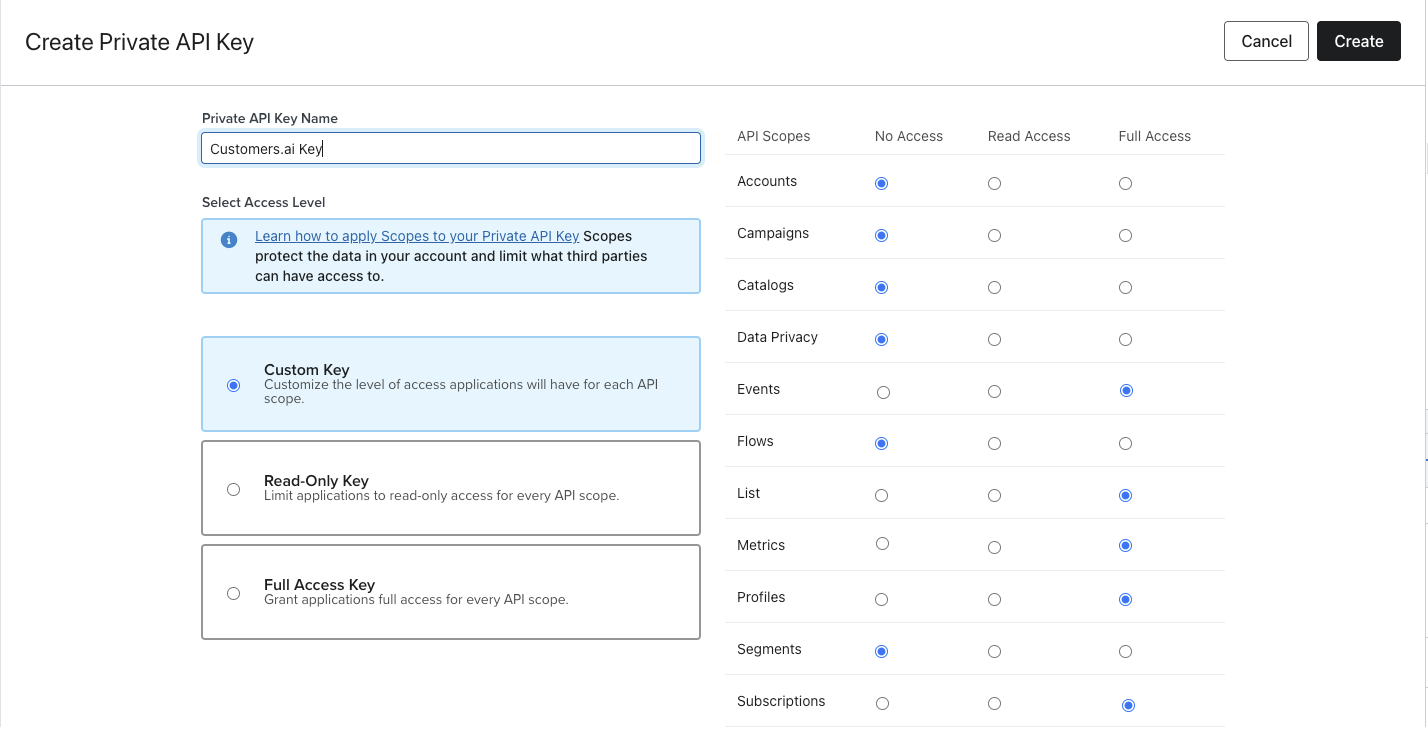
- Select Custom key and assign Full Access to List, Profile, Tags, Events, Subscriptions and Metrics Scopes. Click Create button at the top right corner.
Integration will not work correctly if Full Access is not assigned to List, Profile, Tags, Events, Subscriptions and Metrics scopes. A simpler option is to create a Full Access Key.
You will need the follwoing set up in Klaviyo
- Klaviyo list that new leads will be posted to (create one if necessary)
- Reveal tag for leads from Reveal
- Email followup for new Reveal leads (can be set up later)
Copy created key and email it to reveal@coreconnect.com with your company name and website. Once connected, contacts will start syncing from Reveal into Klaviyo.
Klaviyo and GHL Integration Bonus: Activate Reveal Signal to Boost Flows (Completed by CORE CONNECT)
Klaviyo and GoHighLevel include a powerful feature to trigger flows when a contact engages with a brand. However not all engagements can be detected by Klaviyo and GHL.
This article describes a feature of Reveal called Reveal Signal, which can give Reveal an enhanced ability to detect contact engagements that lead to flows and revenue.
What Is Signal from Reveal?
This is an additional tool for Reveal by CORE CONNECT that boosts your revenue from your email Flows by 30%. Signal is our first party tool to recognize actions your website visitors take (both known and unknown).
Why Do Businesses Need Signal?
It is harder to recognize returning visitors, abandoned carts, and browse abandonment users than ever before. Browsers are deleting 3rd party cookies, users are switching between devices and browsers.

Klaviyo and GHL can not recognize users after 7 days. If a user returns and views a product or abandons a cart without filling out a form, you do not get the signal.

What Will Signal Do For Me?
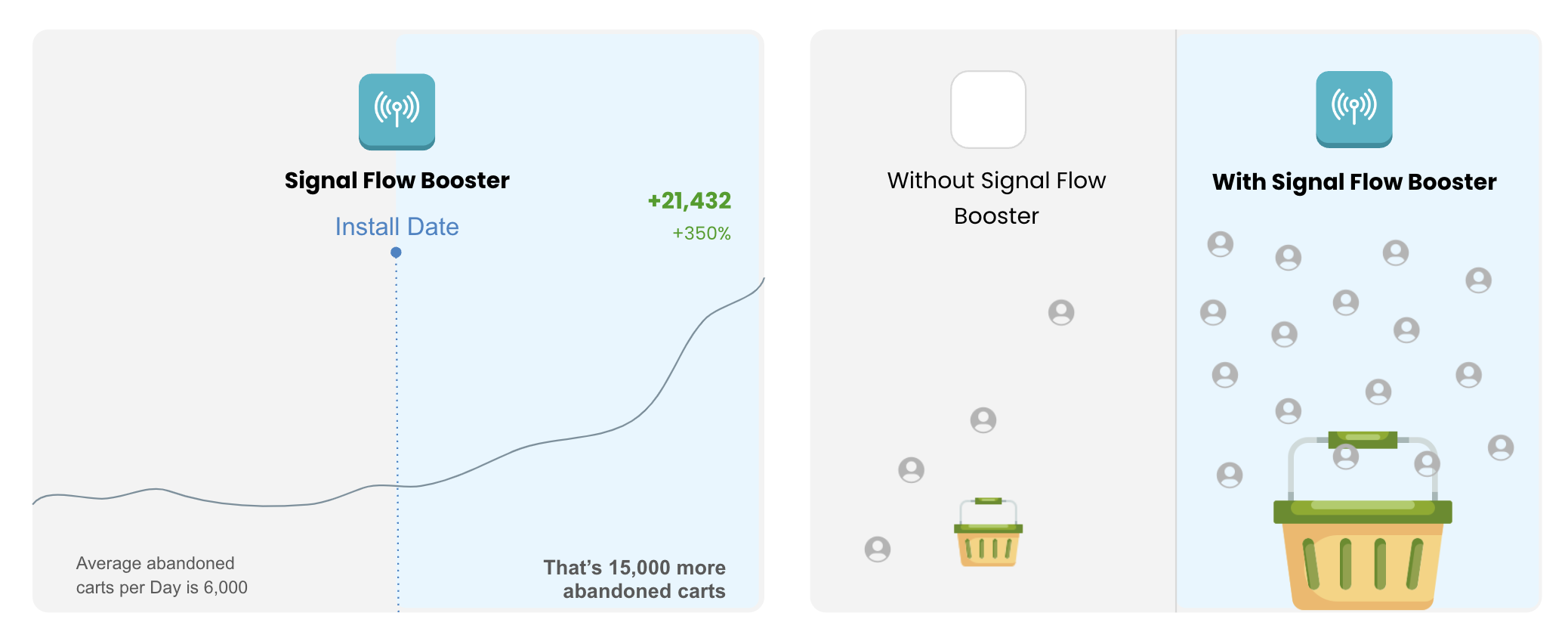
Boost your flow revenue by sending more signals on events of your contacts in Klaviyo or GHL. More abandoned carts recovered, more browse abandonment, and more returning visitor emails sent. SIGNAL tracks visitors across their journey with 100% accuracy using server side cookies and fingerprinting.
One pixel to improve the data sent to your ESP and trigger more flows (abandoned view, product, browse, cart, and return visit).
What Must Be In Place In Order to Use Signal?
- Active Klaviyo or GHL account
- Active segments and flows in Klaviyo or GHL
- Reveal Pixel installed on website
JSON Webhooks
If you need to post data from Reveal directly to 3rd party system (which might be a custom CRM) Connections can be used.
Reveal will POST data to the Webhook and here are recommendations:
- make sure that the server accepts POST request
- make sure the body of the request is parsed correctly
- make sure that the server reads JSON format
From Reveal side, you will need to provide us with the payload URL
The payload URL is the URL of the server that will receive the webhook POST requests.
- Request type should be POST
- Set up attributes that you’d like to post from Customers.ai to your system
- We can provide custom support for your webhook requests
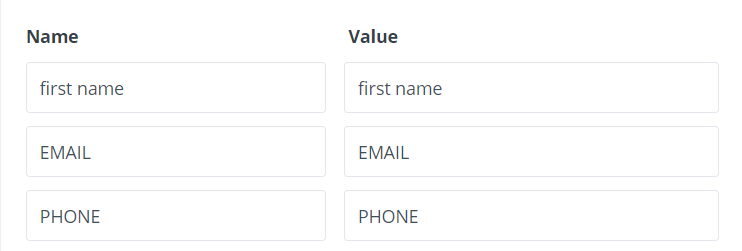
If you require Advanced JSON setup, you will need to refer to your receiving App to determine the Advanced JSON format.
Custom webhook can be created on GitHub, please follow the detailed instructions here https://developer.github.com/webhooks/creating/
Test Webhooks with:
GitHub https://developer.github.com/webhooks/testing/
Postman https://learning.getpostman.com/docs/postman/sending_api_requests/requests/