
Referral Program
Update Your Settings
The Settings page is where you manage your personal account information, including your payment details and notification preferences. Keeping this information up to date is crucial for receiving your commission payments on time.
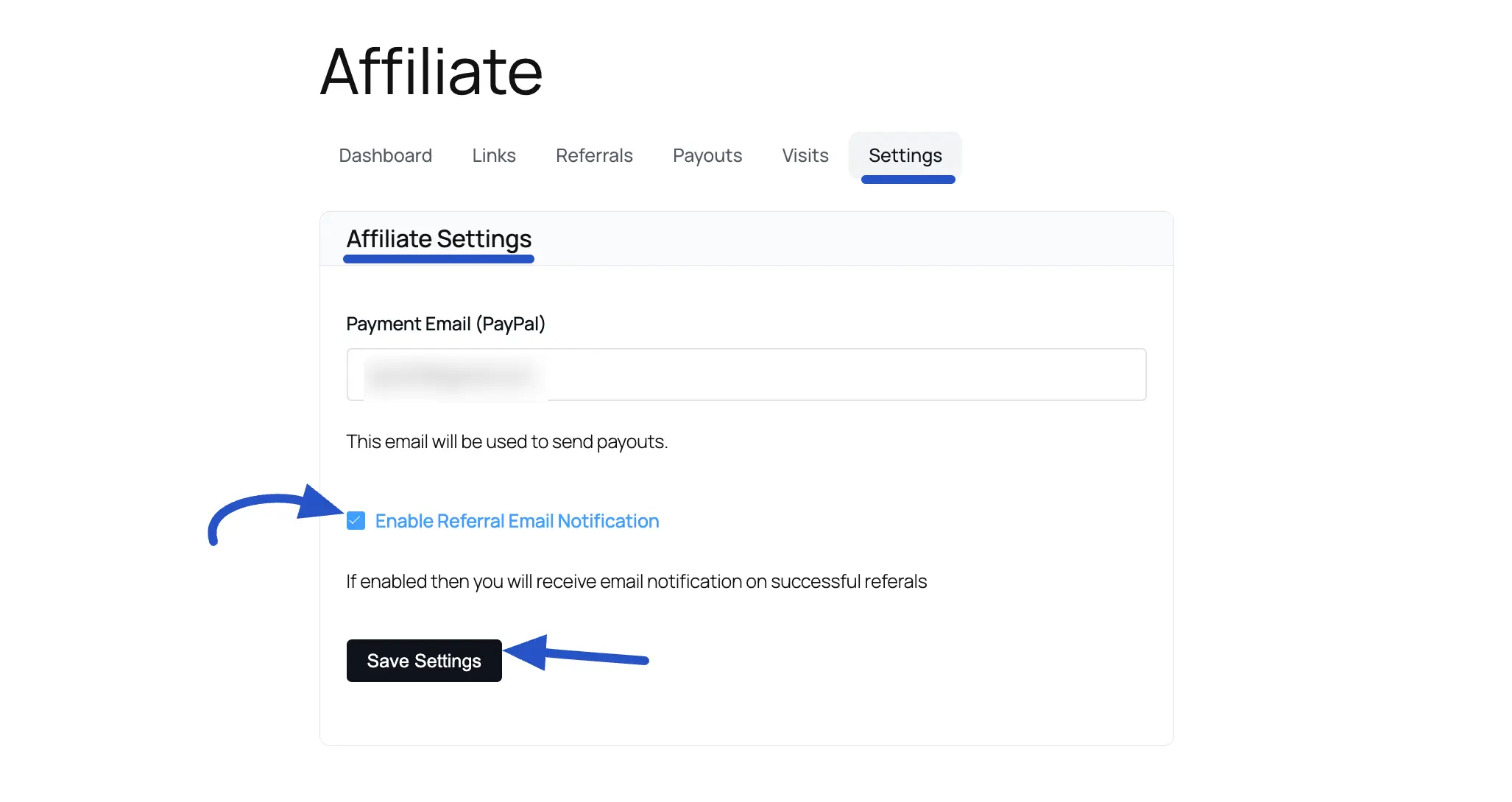
To access your settings, log in to your affiliate portal and click on the Settings tab in the main navigation.
Affiliate Settings
On this page, you will find the following options:
- Payment Email (PayPal): This is the most important field for getting paid. Enter your PayPal email address here. All your commission payouts will be sent to this email address. — We are also looking into ACH Direct Deposits as well.
- Enable Referral Email Notification: Check this box if you want to receive an email alert every time you generate a successful referral. If you prefer not to receive these notifications, simply uncheck the box.
After making any changes, be sure to click the Save Settings button to apply your updates.
Was this article helpful?