
Referral Program
How to Register as an Affiliate
Becoming an affiliate on our site using the CORE CONNECT Referral Program is easy. Whether someone is a long time promoter or just starting your journey, the registration process is quick, simple, and designed for ease.
Let’s walk through how you can register and get started as an affiliate.
Step 1: Access the Affiliate Dashboard
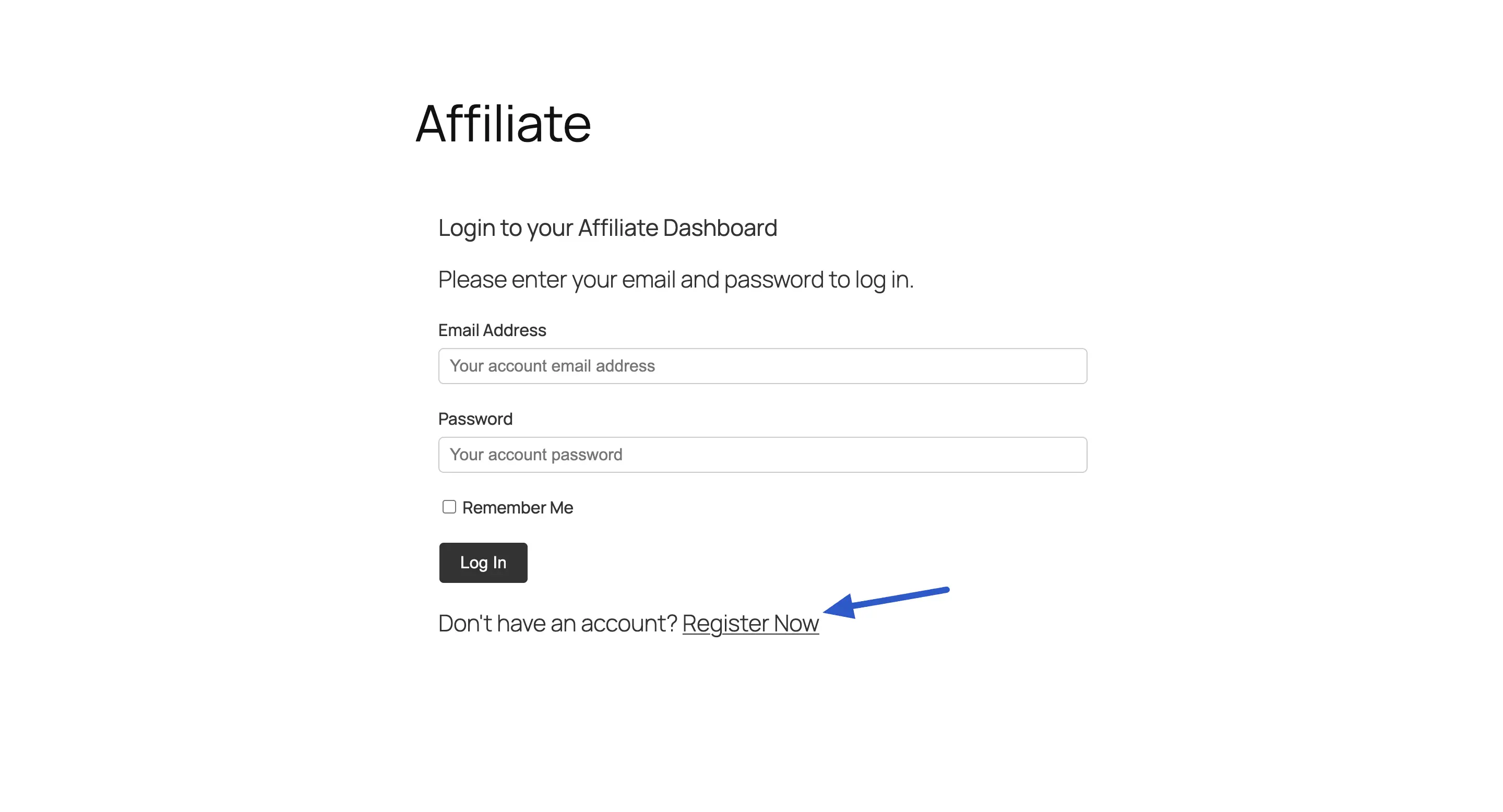
When you visit our Referral Program Page linked in the account login area, you’ll see a simple, user friendly interface. From here, you can log in to your affiliate dashboard or click the Register button to sign up and become an affiliate.
Click the Register Now button to start the sign-up process.
Step 2: Fill Out the Registration Form
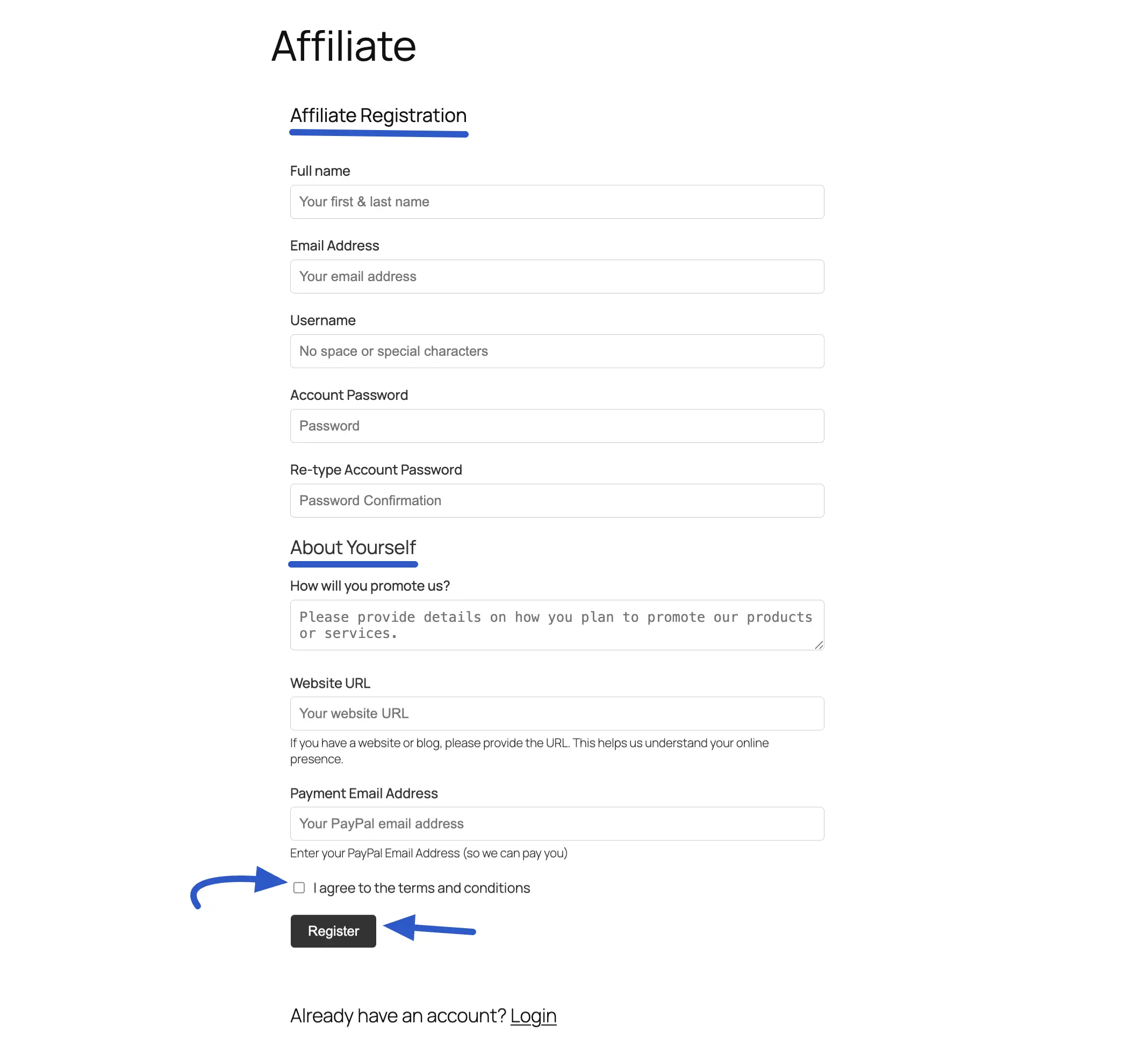
After clicking Register Now, users will land on the Affiliate Registration page. Here, you’ll be asked to provide the necessary details to create your affiliate account. It is divided into clear sections for ease of use.
Account Information
This section covers the basic details needed to create the account:
- Full name
- Email Address
- Username
- Account Password
About Yourself
This part of the form helps the site owner understand more about your potential partners:
- How will you promote us?: A field to describe marketing methods and strategies.
- Website URL: The user’s blog or website link, which helps verify your online presence.
- Payment Email Address: The affiliate’s PayPal email where your future commission payments will be sent. We also offer ACH Direct Deposit.
Final Agreement and Submission
To complete the process, the user must:
- Check the box to confirm you “I agree to the terms and conditions.“
- Click the Register button to submit your application for review.
Step 3: Welcome to the Affiliate Dashboard
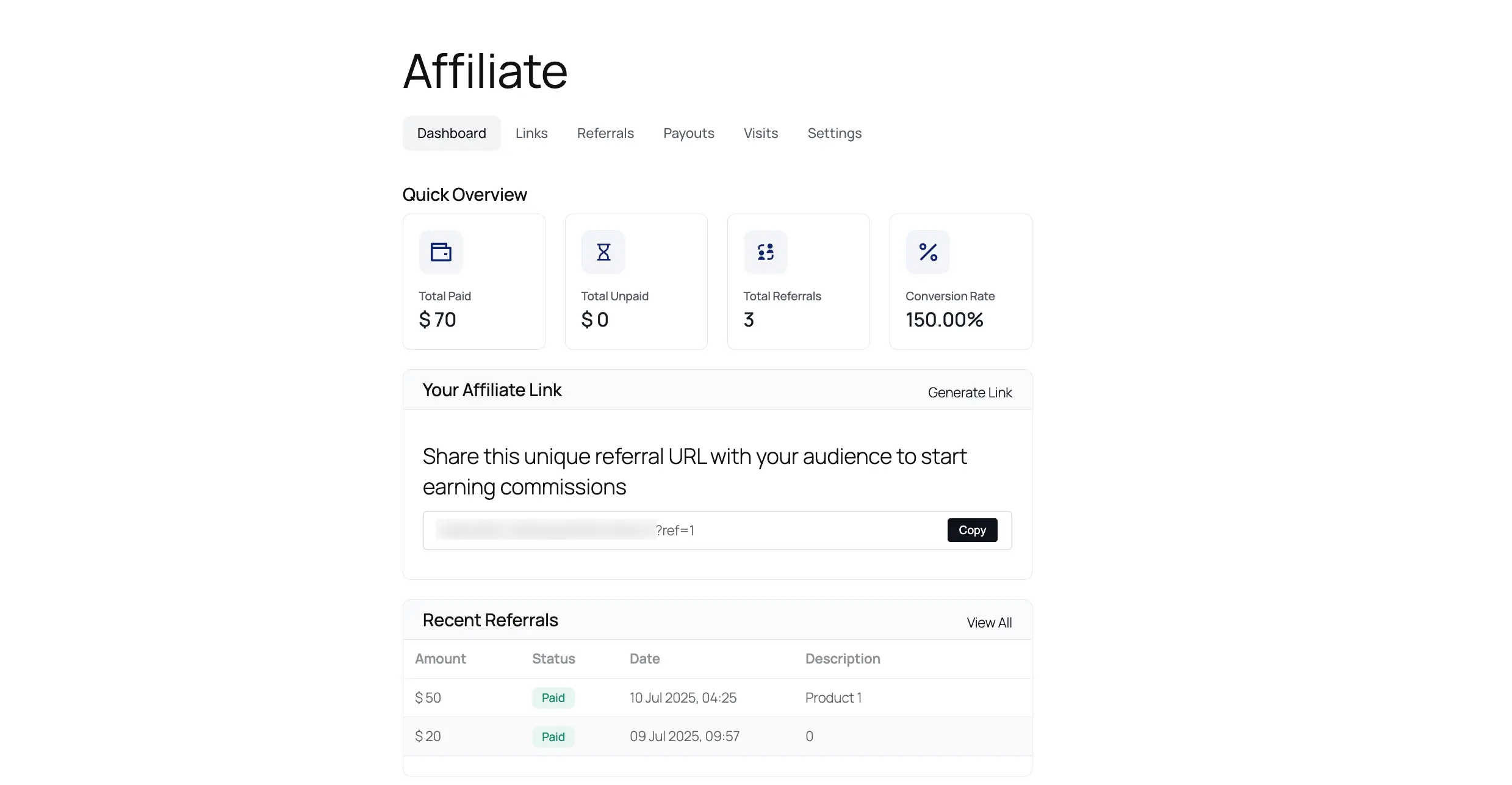
After you submit the form and your application is approved by the CORE CONNECT team, you can log in. Upon logging in, you will be directed to your personal Affiliate Dashboard.
This dashboard is your central hub to:
- Track performance, including visits, referrals, and earnings.
- Generate unique affiliate links for promoting products.
- View your history of payouts.
- Update your account settings.
To learn more about the Affiliate Dashboard, check out this article.
And that’s it! In just a few simple steps, a new user can join the affiliate program and get everything you need to start promoting and earning.