What is Conversion Focused Web Design?
At its heart, Conversion focused web design is the intentional process of creating a digital environment that prompts a specific action. While traditional web design often treats a website as a digital brochure or a piece of art, conversion-focused design treats it as a high-performance sales tool.
The primary difference lies in the battle between Aesthetics vs. Functionality. We’ve all seen “visual masterpieces” that are impossible to steer. You can have the most beautiful layout in Charleston, but if your visitors can’t figure out how to contact you, that beauty is costing you money. Conversion design doesn’t ignore beauty; it grounds visual flair in purpose. It aligns every pixel with your business goals, whether that is lead generation, e-commerce sales, or newsletter sign-ups.
Our approach at CORE CONNECT is rooted in the belief that your website should be a quiet but powerful revenue engine. By understanding user behavior, we shift from a static online presence to an intentional pathway. We don’t just want people to look at your site; we want them to interact with it.
Core Principles of Conversion Focused Web Design
To understand why people click, we have to understand how they think. Modern psychology, popularized by Daniel Kahneman, tells us that our brains use two systems:
- System 1 (Fast Thinking): This is the brain’s default mode—automated, emotional, and intuitive. It makes 95% of our snap decisions.
- System 2 (Slow Thinking): This is rational, logical, and effortful. We use it for complex math or reading a 10-page contract.
Most high-converting websites cater to System 1. We aim for cognitive ease—making the site feel so familiar and easy that the visitor doesn’t have to “think” to find the “Buy Now” button. If a visitor has to use System 2 just to find your phone number, you’ve already lost them. Effective behavioral models for web engagement focus on reducing the mental effort required to say “yes.”
The Difference Between Traditional and Conversion Design
Traditional design often focuses on “visual flair”—the latest animation trends or complex parallax scrolling. While these look cool, they often create “friction.” Conversion focused web design is about friction reduction. It uses a purposeful layout to remove any obstacles between the user and the goal.
In traditional design, you might have five different buttons on a page, all with the same visual weight. In conversion design, we use a visual hierarchy to ensure the primary action is the most obvious thing on the screen. Action-oriented design means every page has one clear job to do.
The Psychology of Persuasion: Why Users Click
Why do some websites feel like a supportive dialogue while others feel like a high-pressure sales pitch? The answer lies in psychology. One of the biggest killers of conversion is analysis paralysis. When we are faced with too many choices—a phenomenon known as overchoice—our brains often shut down and choose nothing.
This is backed by Hick’s Law, which states that the time it takes to make a decision increases exponentially with the number of options. If your homepage has 20 different links in the header, you are literally making it harder for your customers to buy from you.
We also leverage Loss Aversion. Humans are psychologically wired to feel the pain of a loss twice as strongly as the pleasure of a gain. Phrasing a CTA as “Don’t miss out on your discount” often performs better than “Get your discount” because it triggers that fear of losing a benefit. Similarly, Hyperbolic Discounting tells us that people prefer small, immediate rewards over larger future ones. This is why “Download Instantly” is such a powerful phrase.
Reducing Cognitive Load for Better Results
Miller’s Law suggests that the average human can only hold about 7 (plus or minus 2) items in their working memory. If your website forces a user to remember too much information as they move from page to page, their “cognitive load” becomes too high, and they leave.
To solve this, we use Progressive Disclosure. This means we only show the user the information they need at that exact moment. For example, instead of a 20-field contact form, we might use a multi-step form that starts with just a name and email. This keeps the initial decision-making process quick and low-effort.
Leveraging Motivation and Ability
According to the Fogg Behavior Model, behavior happens when Motivation, Ability, and a Prompt converge.
- Motivation: Does the user want what you have? We tap into this with a strong value proposition.
- Ability: Is it easy to do? We increase ability by reducing friction (shorter forms, faster load times).
- Prompt: Are you asking them to do it? This is your CTA.
We also have to be careful of Psychological Reactance. If a user feels pressured or forced, they will naturally resist. Using autonomy-preserving language—phrases like “Feel free to check out our guide” or “No pressure, cancel anytime”—actually increases compliance because the user feels in control.
Optimizing Layout and Visual Hierarchy
Humans don’t read websites; they scan them. Understanding scanning patterns is vital for conversion focused web design.
- Z-Pattern Layout: Best for pages with minimal copy (like a landing page). The eye moves from top-left to top-right, then down to the bottom-left, and finally across to the bottom-right CTA.
- F-Pattern Layout: Common for content-heavy pages like blog posts. Users read the top, move down a bit, read across again, and then scan vertically down the left side.
By placing your most important information along these natural “eye paths,” you ensure your message gets seen. We also use the Rule of Thirds to place points of interest and ensure plenty of white space (or “breathing room”) so the user’s eye isn’t overwhelmed.
Directing Attention with Visual Cues
We use Fitt’s Law to make buttons easier to click. This law states that the time to move to a target is a function of its size and distance. In short: make your buttons big and put them close to where the user’s mouse (or thumb) already is.
Other directional cues include:
- Arrows: Literally pointing at the form.
- Gaze Direction: Using an image of a person looking toward your CTA button. Our brains naturally follow the gaze of others.
- Encapsulation: Putting your form or CTA in a “container” (like a box with a different background color) to create tunnel vision.
The Power of Color and Contrast
Did you know that 62% to 90% of a consumer’s initial judgment of a product is based on color alone? Color psychology isn’t just about what looks pretty; it’s about contrast.
We often use the Squint Test: if you squint at your website until it’s blurry, the most important element (your CTA) should still be the thing that stands out most. This is achieved through high contrast.
| Element | Low-Contrast (Bad) | High-Contrast (Good) |
|---|---|---|
| CTA Button | Light grey on white | Bright orange on dark blue |
| Headline | Thin font on a busy image | Bold black text on white space |
| Link | Blue text on a blue background | Underlined gold text on dark background |
High-Impact Elements: Copy, CTAs, and Social Proof
Your visuals get their attention, but your copy and social proof close the deal. A clear value proposition should answer the question “What’s in it for me?” within five seconds of a user landing on your page.
Designing Effective Calls-to-Action (CTAs)
A CTA is more than just a button; it’s a command. To make them effective:
- Use Action Verbs: Instead of “Submit,” use “Get My Free Quote” or “Start My Trial.”
- Strategic Placement: Place them above the fold (the area visible without scrolling) and repeat them at the bottom of the page.
- Create Urgency: Use microcopy like “Only 3 spots left” or “Offer ends at midnight” to nudge the user.
Building Trust with Social Proof
In the digital world, social proof is your strongest currency. It is the psychological phenomenon where people look to others to determine the “correct” behavior.
- Testimonials: Real quotes from real people in the Lowcountry.
- Case Studies: Detailed stories of how you solved a problem.
- Trust Badges: SSL certificates, “As Seen On” logos, or local Charleston Chamber of Commerce badges.
- Ratings: Star ratings are a visual shorthand for quality.
Technical Performance and Mobile Optimization
You can have the best psychology and design in the world, but if your site is slow or broken on mobile, your conversion rate will be zero.
With over 50% of mobile traffic now dominating the web, conversion focused web design must be mobile-first. If a user has to “pinch and zoom” to read your text, they will leave.
Implementing Conversion Focused Web Design on Mobile
Mobile users have different needs. We focus on:
- Thumb-Friendly Zones: Placing buttons where they are easy to reach with a thumb.
- Simplified Forms: Reducing typing as much as possible.
- Concise Copy: Getting to the point quickly before the user loses interest.
- Mobile-First Indexing: Ensuring Google sees your mobile site as the primary version of your business.
Speed as a Stealthy Conversion Killer
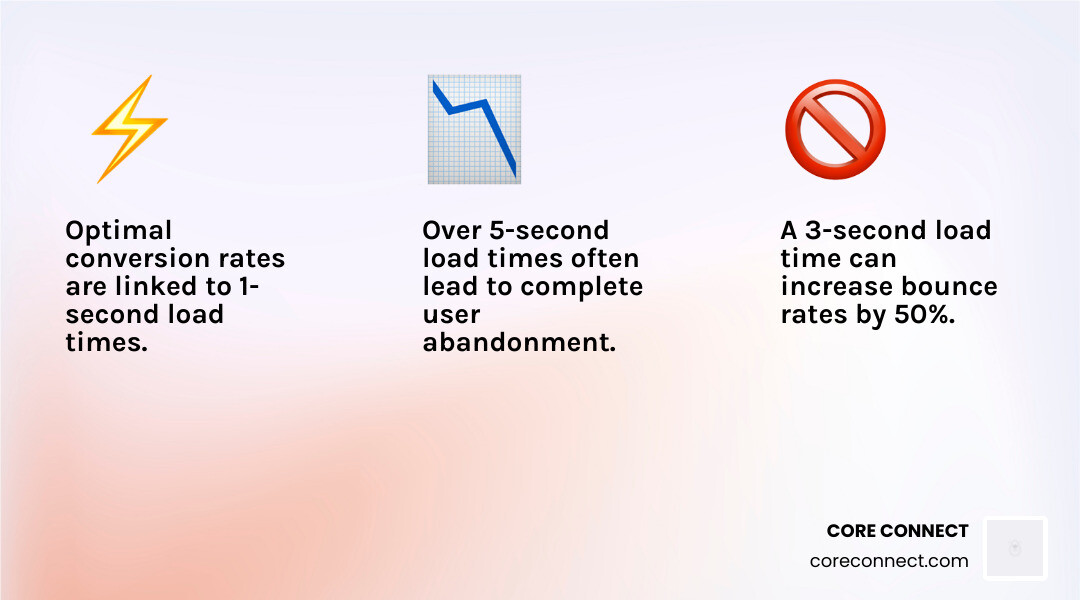
The “3-second rule” is real. If your site takes longer than three seconds to load, nearly half of your audience will abandon it. Speed impacts Core Web Vitals, which are the metrics Google uses to judge your site’s health. We optimize images, minimize code, and use fast hosting to ensure that your site feels instantaneous.
Data-Driven Refinement and Optimization
The secret to long-term success isn’t just building a site; it’s optimizing it. We use A/B testing to compare two versions of a page to see which one performs better. Maybe a green button beats a red one. Maybe a shorter headline drives more clicks.
Using A/B Testing to Inform Design
We start with a hypothesis. For example: “If we move the testimonial above the CTA, more people will sign up.” We then run the test until we reach statistical significance—meaning we are 95% sure the result wasn’t just luck. This iterative improvement ensures your site gets better over time.
Identifying Friction Points with User Feedback
We also use qualitative data to see through the eyes of your users:
- Heatmaps: Showing where people click and how far they scroll.
- Session Recordings: Watching a video of a real user struggling with a form.
- Exit-Intent: A popup that appears when a user is about to leave, offering a final reason to stay.
Frequently Asked Questions about Conversion Design
How does conversion-focused design impact business ROI?
By increasing the percentage of visitors who take action, you lower your customer acquisition cost. If you spend $1,000 on ads and your site converts at 1%, you get 10 leads. If conversion focused web design bumps that to 3%, you get 30 leads for the same $1,000. That’s a 3x increase in ROI.
What are the most common design pitfalls that hinder conversions?
The biggest pitfalls are CTA overload (too many competing requests), style over substance (pretty but confusing), and ignoring speed. If a site is slow and the user doesn’t know what to do next, they will leave.
How do I know if my website needs a conversion-focused redesign?
Check your analytics. If you have high traffic but low enquiries, or if your mobile bounce rate is significantly higher than your desktop rate, your design is likely failing to convert your visitors.
Conclusion
At CORE CONNECT, we believe your website should be your hardest-working employee. By combining conversion focused web design with our Reveal Marketing Hub, we give Charleston businesses the visitor intelligence they need to grow.
Our platform unifies your CRM, automation, and analytics, allowing you to see exactly who is visiting your site and what makes them convert. Whether you need a fully managed website design charleston sc or the tools to run your marketing in-house, we provide the clarity and control you need to scale. Stop guessing why your site isn’t working and start building a digital foundation designed for dollars.