Why Service Businesses Are Losing Revenue Without the Right Systems
CRM for service businesses is a specialized platform designed to manage customer relationships, streamline service delivery, and improve operational efficiency for companies that deliver services rather than sell products. Here’s what you need to know:
Quick Answer: Best CRM Features for Service Businesses
- Mobile access for field teams to update jobs in real time
- Work order management to track service requests from start to finish
- Automated scheduling to prevent double-bookings and missed appointments
- Customer history tracking so every team member knows the full story
- Billing integration to simplify invoicing and payment tracking
- Self-service portals where customers can book appointments or check status
If you’re not tracking your customers’ data, you’re missing out on golden opportunities to surprise them with impeccable service. Service businesses typically have tons of incoming requests, communications, and customer tasks—and managing them manually leads to missed follow-ups, double bookings, and lost revenue.
The difference between a general sales CRM and a service CRM comes down to focus. Sales CRMs prioritize lead generation and closing deals. Service CRMs ensure you keep customers happy after the sale, tracking service history, managing appointments, and coordinating field teams. Companies that excel at customer experience grow revenues 4-8 percent above their market, and a superior experience earns stronger loyalty, turning customers into promoters with a lifetime value six to 14 times that of detractors.
But choosing the wrong CRM—or worse, trying to force a sales-focused platform into a service workflow—creates more problems than it solves. Your team ends up wrestling with software instead of serving customers.
I’m Stephen Sovenyhazy, and over the past 20+ years I’ve helped service businesses build digital systems that actually work—including implementing CRM for service businesses that connect to their websites, automate lead capture, and give teams full visibility into customer relationships. This guide will show you what to look for, what to avoid, and how to choose a system that grows with your business.
Why Your Team Needs a CRM for Service Businesses
When we talk to business owners in Charleston and Mount Pleasant, we often hear the same story: “We’re busy, but we feel like we’re drowning in paperwork.” If you’re still using spreadsheets, sticky notes, or just a very good memory to manage your clients, you’re hitting a growth ceiling.
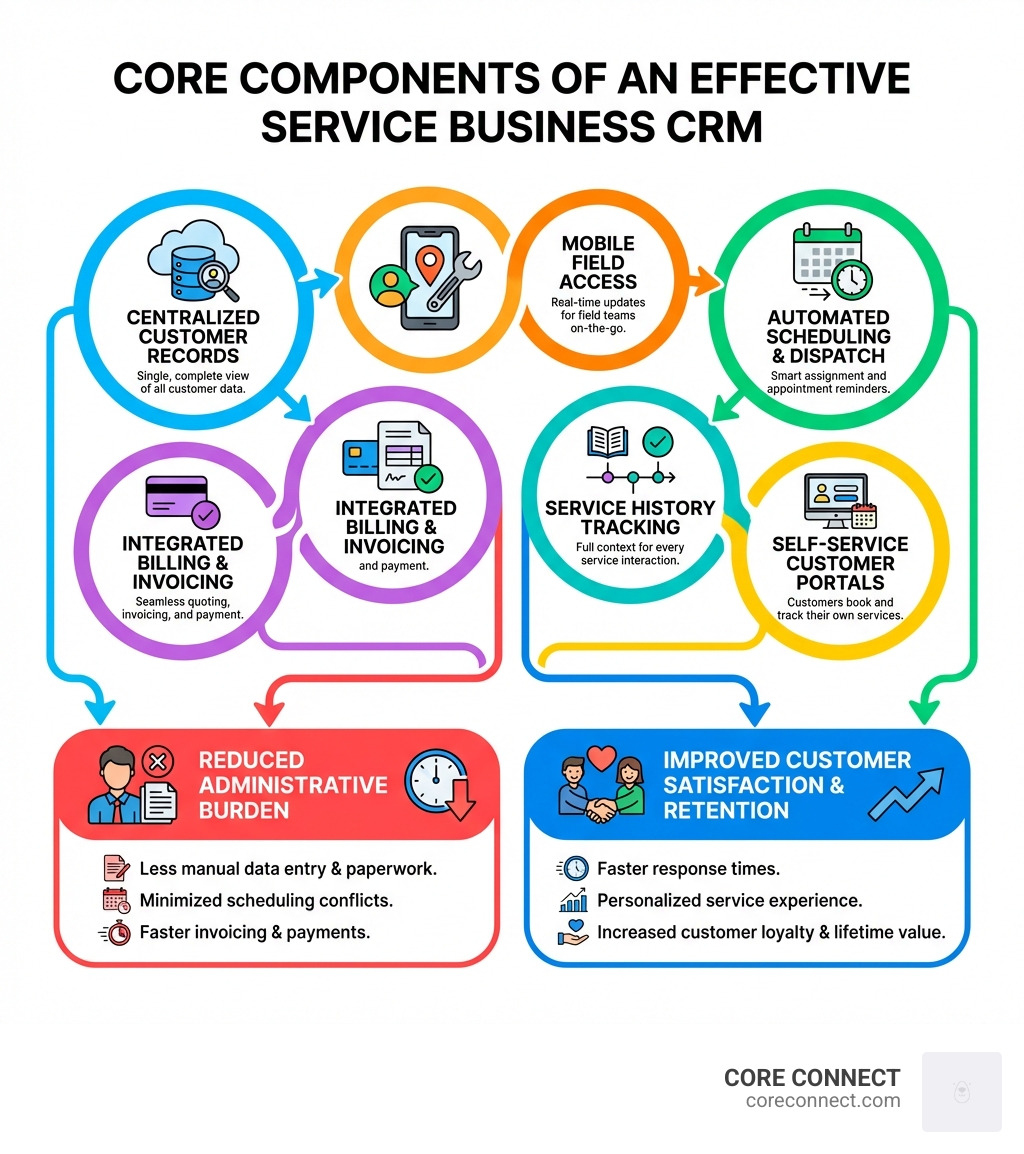
A CRM for service businesses provides a centralized hub where every piece of data lives. No more hunting through email threads to find out what was promised to a client three months ago. With a 360-degree view of your customer, anyone on your team—from the office manager in the Lowcountry to the technician in the field—can see the full service history, preferences, and pending tasks.
The impact on your bottom line is backed by hard numbers. Research shows that 63% of small and mid-size business leaders say a CRM helps them provide better or faster customer service. But it’s not just about speed; it’s about the long-term value of the relationship. Scientific research on how retention increases profit reveals that in sectors like financial services, a mere five-percent increase in customer retention can produce more than a 25 percent increase in profit.
By creating operational transparency, you ensure team accountability. You can see which jobs are stalling, which technicians are overbooked, and which customers haven’t been touched in a while. This visibility turns a reactive business into a proactive one.
Streamlining the Customer Journey with a CRM for Service Businesses
The “customer journey” isn’t just a marketing buzzword; it’s the path someone takes from being a stranger to becoming a loyal advocate for your business. In the service world, this journey includes every interaction from the first inquiry to the final invoice.
A robust CRM for service businesses allows for personalized engagement at every step. Instead of a generic “thanks for your business,” you can send automated follow-ups custom to the specific service they received. If you’re a plumber who just cleared a drain, your CRM can trigger a “how did we do?” message or a reminder for an annual inspection six months down the line.
We often help our clients integrate these systems with marketing automation services to ensure no lead falls through the cracks. When a prospect fills out a form on your website, the CRM can instantly nurture that lead with interaction history in mind. It also allows you to maintain detailed service catalogs, so when a customer calls, you can quickly quote the right price and assign the right staff member without hesitation.
Maximizing Field Efficiency with a CRM for Service Businesses
For service businesses with teams on the move, the office is wherever the truck is parked. This is where mobile access becomes a survival requirement. In fact, 99% of IT leaders say businesses must be mobile-enabled to survive in the future.
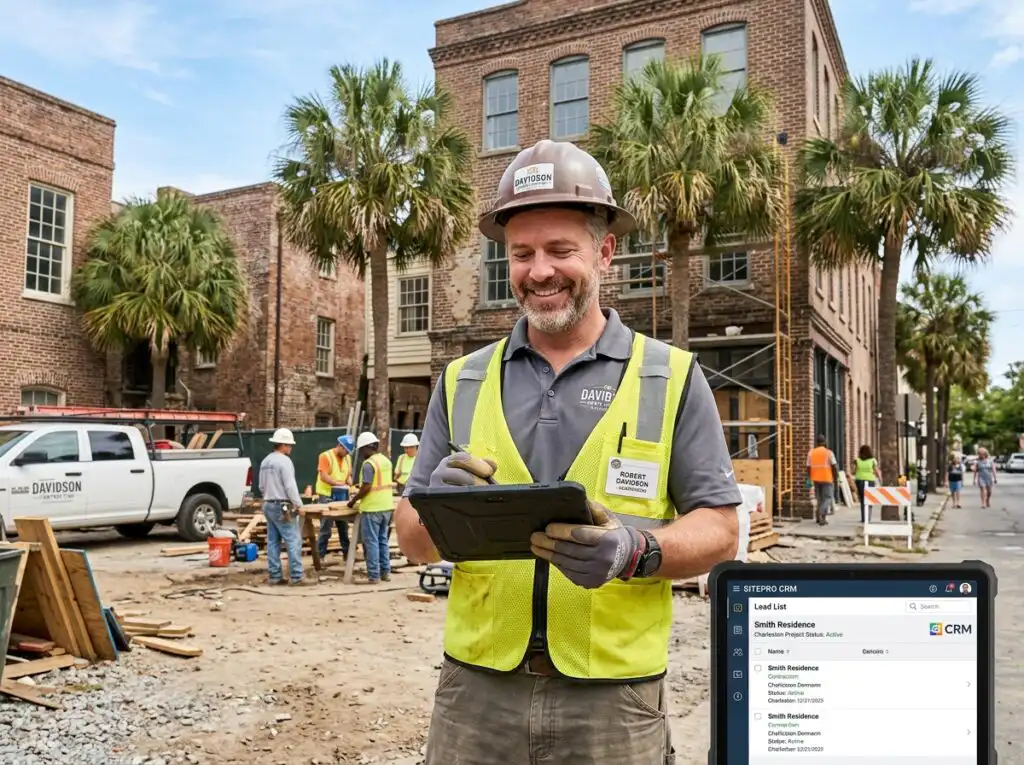
A CRM for service businesses designed for the field allows for real-time updates. When a technician finishes a job in Mount Pleasant, they can snap photo attachments, add on-site notes, and collect digital signatures right on their tablet or phone. This data syncs instantly with the home office, allowing for immediate billing.
GPS routing is another game-changer. Instead of technicians guessing the best way to get from one job to the next, the CRM can optimize their route, saving on fuel and maximizing the number of calls they can handle in a day. This level of efficiency doesn’t just save money; it improves the employee experience by reducing the stress of a disorganized schedule.
Service CRM vs. Sales CRM: What’s the Difference?

It is easy to get confused when shopping for software because “CRM” is a broad term. However, the needs of a sales team at a software company are vastly different from the needs of an HVAC company or a local consulting firm.
A Sales CRM is built for the “hunt.” It’s designed to manage a sales funnel, track deal stages, and forecast revenue based on new business. It focuses on lead generation and the transactional moment of the sale.
A Service CRM, on the other hand, is built for the “relationship.” It focuses on the customer lifetime value and what happens after the contract is signed. While it can certainly handle leads, its real power lies in:
- Post-sale support: Managing tickets and service requests.
- Order management: Tracking the fulfillment of complex services.
- Resource mapping: Ensuring the right tools and people are available for a specific job.
- Relational data: Storing specific details like the type of filter a customer’s AC unit takes or the gate code for their property.
While a sales CRM is transactional, a service CRM is relational. It’s about building a system that makes the customer feel like you know them personally every time they call.
Essential Features of a CRM for Service Businesses
When you’re evaluating options, don’t get distracted by “shiny object” features that don’t help your day-to-day operations. Here are the non-negotiables:
| Feature | Why You Need It |
|---|---|
| Mobile Access | Allows field teams to update job status and notes on the go. |
| Work Order Management | Tracks the lifecycle of a job from request to completion. |
| Telephony Integration | Greet customers by name and log calls automatically. |
| Inventory Tracking | Know if you have the parts in stock before you send a tech. |
| Self-Service Portals | Let customers book their own appointments 24/7. |
| Billing Integration | Turn completed work orders into invoices with one click. |
Automation is the secret sauce here. Statistics show that 64% of small and mid-size business owners rate automation capabilities as extremely important. This includes everything from automated appointment reminders (which drastically reduce no-shows) to triggering a review request once a job is marked “complete.”
We also emphasize the importance of website design services that integrate directly with your CRM. If your website forms aren’t feeding directly into your CRM, you’re wasting time on manual data entry and risking human error.
How AI and Automation Transform Service Efficiency
The future of CRM for service businesses is already here, and it’s powered by Artificial Intelligence. While “AI” might sound like science fiction, its applications for a local service business are very practical.
Imagine a system that uses sentiment detection to flag an angry email from a customer before you even read it, allowing you to prioritize that response. Or consider predictive resource mapping, which analyzes your past data to forecast how many technicians you’ll need on staff during the busy summer months in the Lowcountry.
Other ways AI improves efficiency include:
- Email Summarization: Get a quick overview of a long communication chain with a client so you don’t have to read every message.
- Automated Dispatching: AI can assign the best technician for a job based on their skill set, current location, and existing workload.
- Chatbot Qualification: Use intelligent bots on your website to answer common questions and qualify leads before they ever talk to a human.
- Intelligent Queue Management: Ensuring the most urgent support tickets are handled first.
Combining these tools with SEO services ensures that not only are you finding the right customers, but you’re also serving them with a level of sophistication that your competitors can’t match.
Choosing the Right CRM for Small Service Businesses
Selecting the right platform is a big decision. Your CRM will become the hub for all your clients’ needs. Here is a step-by-step approach to making the right choice:
- Conduct a Needs Assessment: What are your biggest pain points? Is it scheduling? Invoicing? Losing track of leads?
- Evaluate Scalability: Will this CRM grow with you? You don’t want to have to switch systems in two years when you add five more trucks to your fleet.
- Check Integration Capabilities: Does it play nice with the tools you already use, like QuickBooks, Google Workspace, or your marketing platform?
- Consider Budget: Look past the initial “per user” cost. Consider the value of the time saved through automation and the revenue gained through better retention.
- User Interface (UI): If the software is too complicated, your team won’t use it. Look for something intuitive.
- Data Security: Ensure the provider offers robust encryption and multi-factor authentication to protect your client data.
For many businesses in South Carolina, the choice comes down to whether they want to manage these systems themselves or work with professional growth services to have a system built and managed for them. Implementation speed and training resources are often the biggest problems to success, so having expert guidance can be the difference between a failed rollout and a transformative business upgrade.
Frequently Asked Questions about CRM for Service Businesses
How does a CRM improve customer communication?
A CRM centralizes all communication into a single inbox. Whether a customer reaches out via email, SMS, or a website form, the history is all in one place. You can set up automated reminders for appointments and send personalized outreach based on their specific service history. This ensures a consistent, professional “voice” for your brand.
What role does mobile access play for field teams?
Mobile access is the bridge between the office and the job site. It allows for real-time scheduling updates, remote data entry for job notes, and instant map navigation to the next location. Digital work orders can be signed on-site, which speeds up the entire billing cycle and reduces administrative backlog.
Can a CRM help with appointment scheduling and dispatching?
Absolutely. Modern CRMs offer calendar synchronization that prevents conflict and double-bookings. You can assign technicians based on their specific skills and territory, and the system can send automated confirmations to the customer, reducing the time spent on the phone confirming times.
Conclusion
Your service business is unique, and it deserves a system that respects the complexity of what you do. Whether you are a HVAC contractor in Mount Pleasant or a consultant in downtown Charleston, the right CRM for service businesses will give you the clarity and control you need to scale.
At CORE CONNECT, we believe that technology should work for you, not the other way around. Our growth platform, centered on the Reveal Marketing Hub, unifies your CRM, follow-up, and analytics into one powerful system. We provide real-time visitor intelligence that shows you exactly who is visiting your site and what they need, turning anonymous traffic into actionable leads.
If you’re ready to move beyond spreadsheets and start making data-driven decisions, we’re here to help. From conversion-focused websites to advanced automation, we provide the systems behind the growth. Explore more info about our full suite of services and see how we can help you build a sustainable, scalable business in the competitive South Carolina market.