
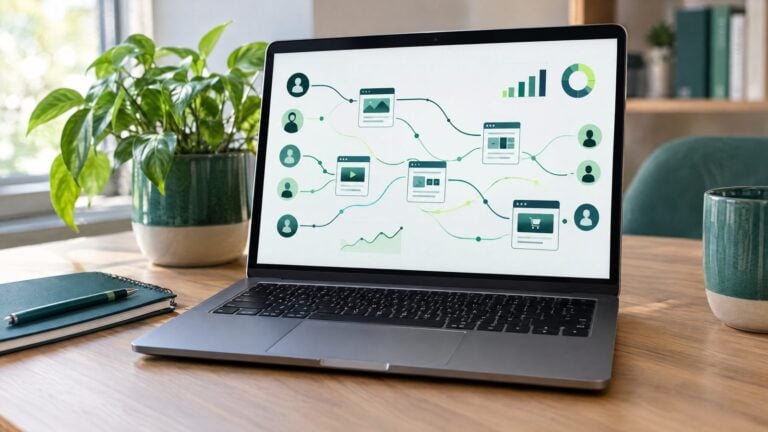
Website visitor tracking is the practice of recording how people find and use your website. At its simplest it tells you how many people came and what they read. At its most advanced it tries to tell you which company, or even which person, was behind a visit.
This guide explains how each level works, what is and isn’t possible in 2026, and how to use tracking in a way your customers would be comfortable with.
In short:
- There are four levels of tracking: analytics, behavior, company-level identification and person-level identification.
- Analytics and behavior tools are anonymous. Identification tools match a share of visits to a company or a person, never all of them.
- Privacy rules depend on where your visitors live, not just where your business is. As of 2026, 24 states have comprehensive privacy laws.
- The value is in the follow-up. A name only matters if someone reaches out quickly and helpfully.
What website visitor tracking actually means
“Visitor tracking” gets used for very different tools. Some only count visits. Others try to put a name on them. Before you compare website visitor tracking tools, it helps to know which level a tool works at, because the data, the accuracy and the privacy obligations change at each step.
Here is the simple version.
| Level | What it tells you | How it works | Who it names |
|---|---|---|---|
| 1. Web analytics | Visits, traffic sources, pages viewed, conversions | A tracking script counts sessions and events | No one |
| 2. Behavior analytics | Clicks, scrolling, where people get stuck | Heatmaps and session recordings | No one |
| 3. Company-level identification | Which organization a visit likely came from | The visitor’s network address is matched to business records | A company, not a person |
| 4. Person-level identification | A likely name and contact details for some visitors | A browser or device is matched against identity data from outside sources | Some individuals |
Most businesses already have level 1. Many add level 2 to improve their pages. Levels 3 and 4 are what people usually mean when they talk about website visitor identification.
How each type of tracking works
Web analytics: the anonymous big picture
A small piece of code on every page sends a record each time someone loads a page, clicks a button or submits a form. The tool groups those records into visits and reports on them.
Analytics is built to answer “what is happening on my site?” rather than “who is on my site?” In fact, Google’s own guidance says no data should be passed to Google Analytics that could identify a person. That makes analytics the safe, everyday foundation for every other kind of tracking.
Behavior analytics: how people use a page
Heatmaps show where people click and how far they scroll. Session recordings replay a visit, with typed information masked. These tools are great for spotting a confusing form or a button nobody sees.
They are still anonymous. You learn how a page performs, not who used it.
Company-level identification: which business stopped by
Every visit comes from a network address. When someone browses from an office network, that address often belongs to their employer. Company-level tools look the address up in business databases and report a likely company name, along with the pages viewed and when.
This works best when visitors browse from work. It works less well when people are at home, on a phone network, or using a VPN, because those addresses belong to an internet provider rather than a business.
Person-level identification: putting a name to some visits
Person-level tools place a cookie or similar identifier in the visitor’s browser. They then try to match that identifier to identity data the provider has gathered from outside sources, often other websites and data partners where people have shared their information.
When a match is found, the tool reports a likely name and contact details. When no match is found, the visit stays anonymous. This is the most powerful level, and also the one with the most rules attached.
What visitor tracking can and can’t tell you
It is easy to expect too much from these tools, or too little. Here is a realistic picture.
What it can do well
- Show which pages and services draw the most interest.
- Show which traffic sources bring visitors who take action.
- Flag returning visitors who keep looking at the same service.
- Give your team a timely, relevant reason to follow up with some visitors who didn’t fill out a form.
What it can’t do
- It can’t name everyone. Some visits will always stay anonymous because of how people browse, which devices they use, and the choices they make about privacy.
- It can’t read minds. A visit to your pricing page suggests interest. It doesn’t prove someone is ready to buy.
- It can’t see every visit. Ad blockers, private browsing and declined cookie banners mean some visits are never recorded at all.
- It isn’t always right. A shared office network, a coworking space or an outdated record can produce the wrong match. Treat every match as a lead to verify, not a fact.
The honest question to ask any provider is simple: “What share of my traffic do you match, at which level, and how do you know the matches are right?” A good provider will offer to show you on your own traffic.
Not sure your site gets enough traffic for identification to be worth it? A free website review from the CORE Team looks at your traffic, your top pages and your lead flow, and tells you plainly whether identification or something else should come first.
Privacy and compliance: the rules to know in 2026
Privacy law changes fast, so treat this section as a map of the questions to ask, not legal advice. Your attorney should review your setup before you turn on any identification tool.
State privacy laws now cover much of the country
The United States still has no single national privacy law. Instead, states pass their own. As of June 2026, 24 states have comprehensive privacy laws. Common rights include seeing the data a business holds, deleting it, and opting out of targeted advertising or the sale of personal data.
South Carolina is not on that list as of this writing. That doesn’t settle the question for a Charleston business, though. What matters is where your visitors live and whether your business meets each law’s thresholds. A practice in Mount Pleasant that draws patients or clients from other states may still have obligations.
California and Global Privacy Control
California’s law (the CCPA) lets people tell a business to stop selling or sharing their personal information. According to the California Attorney General, covered businesses must honor a browser setting called Global Privacy Control as a valid opt-out request. The law applies to for-profit businesses that meet certain revenue or data thresholds.
In practice, that means your tracking setup should be able to detect and respect opt-out signals, not just display a banner.
Website tracking lawsuits are shifting, not disappearing
In recent years, many businesses received demand letters claiming that ordinary tracking tools broke California’s older wiretapping law. On September 30, 2026, California signed SB 690, which removes private lawsuits for one of those theories (the “pen register” claim). Claims alleging that tools intercept the content of communications, such as some chat tools and session recordings, are still possible.
The takeaway: know exactly which scripts run on your site and what they send, and remove anything you don’t use.
Your outreach has its own rules
Identifying someone doesn’t mean you can contact them any way you like. Commercial email has to follow federal rules on honest subject lines, a real address and a working unsubscribe. Calls and texts carry stricter consent rules. Ask your provider, and your attorney, which channels are appropriate for a person you didn’t hear from directly.
A responsible-use checklist
Use this checklist before you turn on any website visitor tracking software that goes beyond anonymous analytics.
- Write down your purpose. “Follow up faster with people interested in our services” is a purpose. “Collect as much data as possible” isn’t.
- Pick the lowest level that works. If company-level matches serve your sales process, you may not need person-level data at all.
- Ask where the data comes from. Get, in writing, how the provider’s identity data was collected and on what basis.
- Update your privacy policy. Describe the tools you use and how people can opt out or ask for deletion.
- Respect opt-out signals. Confirm your setup honors cookie choices and Global Privacy Control where required.
- Exclude sensitive pages. Medical and legal practices should think carefully about which pages are tracked at all. A visit to a page about a specific condition or legal problem can reveal something private.
- Set a retention limit. Delete identification data you aren’t using after a set period.
- Train your team on tone. Outreach should be helpful and low-pressure, never “we saw you on our site.”
- Review quarterly. Check which scripts are live, who has access to the data, and whether the rules have changed.
How to choose website visitor tracking tools
Feature lists blur together quickly. These questions cut through them.
Questions to ask any provider
- Do you identify companies, people, or both? How do you tell them apart in reports?
- What share of a business like mine do you typically match, and can you prove it on my traffic?
- Where does your identity data come from, and how is consent handled?
- How do you handle opt-out requests, deletion requests and Global Privacy Control?
- Where does the data go? Does it land in my CRM, or in a separate dashboard someone has to remember to check?
- What happens to my data if I cancel?
Why it matters where the data lands
Visitor data is only useful if it reaches the person who will act on it. A match that sits in a separate tool until someone logs in is easy to miss. A match that arrives as a contact record in your CRM, with the pages viewed and a follow-up task attached, is much more likely to turn into a conversation.
That is why we treat visitor identification as part of one connected system, alongside the website, CRM and reporting, rather than as a standalone gadget.
Putting visitor data to work, responsibly
Here is a simple, respectful way to use what you learn.
- Start with your pages, not your prospects. Use analytics and heatmaps to fix the pages people leave fastest. A clearer page turns more anonymous visitors into callers on their own.
- Watch for intent signals. Repeat visits to one service page, or a visit to your booking or pricing page, are better signals than a single homepage view.
- Verify before you reach out. Check that a company match makes sense for your business before anyone picks up the phone.
- Lead with help. Offer something useful, such as a guide, an answer or an easy way to book, rather than mentioning their visit.
- Measure the outcome. Track how many identified visitors became conversations and customers, not just how many were identified.
For a detailed follow-up playbook, read our guide on what to do after you identify a website visitor. And if your site gets plenty of traffic but very few calls, start with why a website stops generating leads, because the fix is sometimes on the page itself.
How visitor identification works at CORE CONNECT
Our visitor identification works at the contact level. For many visits, it identifies the person behind the visit and the business they are associated with, along with the pages they viewed and when.
Which side matters most depends on how you sell:
- B2B (you sell to other businesses): both levels matter. The business tells you which account is interested, and the contact tells you who to reach out to.
- B2C (you sell to consumers): the contact side matters most, because the person is your customer.
Identified visitors are saved to your Reveal Marketing Hub, so the CORE Team and your staff can follow up quickly and respectfully.
Where this fits for Charleston service businesses
For established medical and dental practices, law firms and home-service companies, website visitor tracking is less about chasing every visitor and more about not missing the right ones. A commercial property manager comparing contractors, or a practice administrator researching vendors, is exactly the kind of visit a company-level match can surface.
Residential and patient traffic is different. Those visitors usually browse from home or a phone, and their pages may touch on private topics. For that traffic, strong analytics, clear pages and fast responses to calls and forms usually matter more than identification.
If you’d like to talk through which level fits your business, you can book a walkthrough with Stephen. He will look at your traffic with you and give you a straight answer, including when identification isn’t the right next step.
