Understanding the Email Automation Workflow vs. Traditional Campaigns
To master the email automation workflow, we first have to understand what it isn’t. Traditional email marketing is often a “blast”—a single message sent to a large list at a specific time. While newsletters have their place, they are static. They don’t care if a subscriber just bought a product or if they haven’t visited your site in six months.
An email automation workflow, however, is a series of emails that send when triggered by a subscriber’s data, behavior, or place in the customer lifecycle. It is a one-on-one conversation scaled to thousands of people. Instead of shouting at a crowd through a megaphone, you are whispering the right answer to a specific person at the exact moment they ask the question.
The benefits are clear:
- Timely Relevance: Messages arrive when they are most helpful.
- Scalability: Your system works 24/7, whether you have 10 subscribers or 10,000.
- Improved Results: 63% of marketers see improved results with automation compared to manual campaigns.
- Efficiency: You “set it and forget it,” allowing your team to focus on high-level strategy rather than hitting “send” on individual follow-ups.
The Shift from Broadcasts to Behavior
The real power of an email automation workflow lies in its ability to react to real-time triggers. Traditional campaigns rely on the marketer’s schedule; automated workflows rely on the subscriber’s schedule.
By using subscriber data—like geographic location in Charleston or Mount Pleasant, past purchase history, or website behavior—we can create hyper-relevant paths. Research shows that 31% of businesses use automation for better targeting, moving away from the “spray and pray” method toward a lifecycle-based approach. When you treat your subscribers like individuals, they reward you with higher engagement and fewer unsubscribes.
Core Components: Triggers, Conditions, and Actions
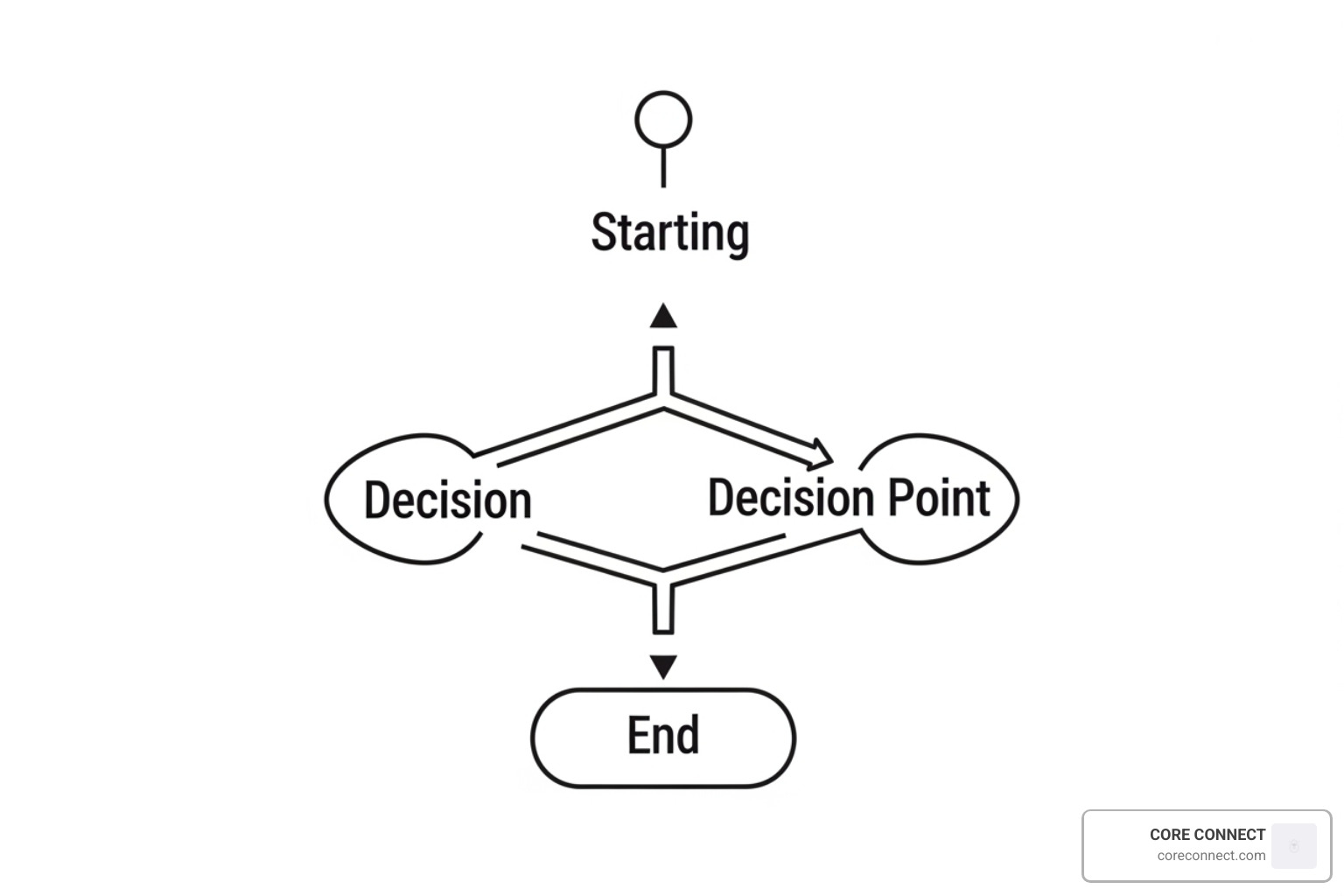
Building a workflow is like creating a flowchart for your customer’s journey. There are three core “building blocks” you need to understand to make the logic work.
- Triggers: The “If” statement. This is the event that kicks off the workflow. Common triggers include a user signing up for a newsletter, a field changing in your CRM (like a lead status moving to “Qualified”), or an event-based trigger like a birthday.
- Conditions/Filters: The “Logic” gate. These are the rules that refine who stays in the workflow. For example, “Only send this email IF the contact lives in the Lowcountry” or “IF they haven’t opened the previous email.”
- Actions: The “Then” statement. This is what the software actually does. Usually, this is “Send Email,” but it can also be “Add a Tag,” “Wait 3 Days,” or “Notify a Sales Rep.”
| Component | Definition | Example |
|---|---|---|
| Trigger | The starting event | User downloads an eBook |
| Condition | The criteria for pathing | Is the user a current customer? |
| Action | The resulting task | Send “Welcome” email or “Upsell” email |
| Goal | The desired outcome | User schedules a consultation |
Defining Your Workflow Goals
Before you drag a single “Send Email” block into your editor, you must define what success looks like. Are you trying to drive sales, or are you looking for engagement metrics like webinar signups?
In our Reveal Marketing Hub, we emphasize conversion tracking and revenue attribution. You shouldn’t just know that an email was opened; you should know that it contributed to a $500 sale. By setting clear goals, you can manage subscriber group transitions—for instance, automatically moving someone out of a “Prospecting” workflow and into a “New Customer” workflow the moment they buy. To see how these systems integrate, check out more info about email marketing services.
High-Converting Types of Email Automation Workflows
You don’t need to reinvent the wheel. Several “classic” workflows have proven to be the backbone of successful digital marketing.
- Re-engagement Workflows: Since 59% of people say most emails they receive aren’t useful, it’s easy for subscribers to go cold. A re-engagement sequence targets users who haven’t opened an email in 90 days, offering them a “We Miss You” incentive or a chance to update their preferences.
- Transactional Workflows: These aren’t just receipts. They are opportunities. Use order confirmations to provide product tips or recommend related items.
- Post-Purchase Nurture: After someone buys, the relationship is just beginning. Send a series of “How-To” guides or request a review to build long-term loyalty.
The Welcome Series Email Automation Workflow
The welcome series is your first impression. It’s the most important email automation workflow you will ever build. Because 50% higher open rates for welcome emails are common, this is your best chance to capture attention.
A great welcome series should:
- Deliver the “Bribe”: If they signed up for a discount or a guide, give it to them immediately.
- Introduce the Brand: Tell them who you are and what you stand for.
- Set Expectations: Tell them how often you’ll email and what kind of value they’ll receive.
- Relationship Building: Ask them a question to encourage a reply, which also helps your deliverability.
Abandoned Cart and Lead Nurturing Email Automation Workflow
E-commerce businesses face a staggering reality: 70% of shoppers abandon carts—automation recovers revenue that would otherwise be lost. With an average open rate of over 43% for abandoned cart emails, this workflow is essentially “found money.”
For B2B or service-based businesses, lead nurturing serves a similar purpose. Instead of a cart, you are nurturing an “interest.” If a visitor is identified on your site but doesn’t book a call, a nurture sequence can provide educational content, case studies, and testimonials to move them closer to a decision. This works best when paired with more info about website visitor identification, so you know exactly who is browsing your services.
5 Essential Steps to Setting Up Your Workflow
Ready to build? Follow this structured process to ensure your email automation workflow is built on a solid foundation.
- Define Your Audience Segment: Don’t send everything to everyone. Use demographics, behavior, and lifecycle stage to create a specific group.
- Choose Your Trigger: Will this be a form submission, a link click, or a date-based event like a “Grammarversary” or birthday?
- Design the Content: Write for one person. Use a warm, conversational tone. Ensure your emails are mobile-responsive and have clear CTAs.
- Set Timing and Delays: Don’t spam. Space your emails strategically (e.g., Email 1 immediately, Email 2 after 24 hours, Email 3 after 3 days).
- Activate and Monitor: Turn it on, but don’t walk away. Watch your stats to see where people are dropping off.
Mapping the Customer Journey
You can’t automate a journey you haven’t mapped. We recommend drawing your workflow on paper or a whiteboard before touching your software. Identify the key touchpoints: Where do they find you? What is their intent?
For example, a visitor searching for “SEO Charleston” has a different intent than someone looking for “Website Design.” By aligning your automation with your more info about search engine optimization strategy, you ensure the transition from search result to email inbox feels seamless.
Testing and Launching for Success
Before you go live, you must “stress test” the system.
- Link Validation: Click every button.
- A/B Testing: Test two different subject lines to see which gets a better open rate.
- Mobile Responsiveness: 41% of emails are opened on mobile; if yours looks broken, it’s going in the trash.
- Accessibility: Use alt-text for images and ensure your font sizes are readable. Following accessibility best practices isn’t just nice—it’s essential for reaching your entire audience.
Best Practices for Engagement and Performance
To keep your email automation workflow running at peak performance, you need to look beyond the initial setup.
- Email List Hygiene: Regularly remove inactive subscribers and hard bounces. Sending to “dead” addresses hurts your sender reputation. Email list hygiene is a non-negotiable part of modern marketing.
- Personalization Tokens: Use the subscriber’s name, but don’t stop there. Mention their last purchase or their specific industry to prove you’re paying attention.
- Compliance: Always include an easy “Unsubscribe” link and your physical business address to stay compliant with GDPR and CAN-SPAM laws.
Advanced Personalization and Dynamic Content
If you want to truly stand out, use dynamic content. This allows you to change parts of an email based on who is reading it. A subscriber in Mount Pleasant might see a photo of the Ravenel Bridge, while someone in the Lowcountry sees a different local landmark.
We also see massive success with Zero-party data—information the customer explicitly shares with you (like through a survey). Use this to tailor the journey. Adding video integration can also boost engagement; a quick personalized video intro in a welcome sequence can make a subscriber feel like a VIP instantly. 59% of users say relevant emails improve engagement, so the more data you use, the better your ROI.
Frequently Asked Questions about Email Automation
How long does it take to set up an automated email campaign?
Most businesses can get a basic welcome series or abandoned cart workflow live in a few hours. The complexity grows as you add more branches and personalized content, but with a platform like Reveal Marketing Hub, the visual builders make it much faster than manual coding.
How often should I refresh my email sequences?
We recommend a “check-up” every quarter. High-traffic flows like onboarding or lead nurturing should be reviewed more often to ensure links aren’t broken and the messaging still aligns with your current offers.
Do automated emails hurt or help deliverability?
When done correctly, they help! Because automated emails are triggered by user action, they are highly relevant. This leads to higher open rates and more clicks, which signals to email providers (like Gmail or Outlook) that you are a “good” sender, improving your overall inbox placement.
Conclusion
Building an email automation workflow is one of the smartest investments a growing business in Charleston or the Lowcountry can make. It turns your website from a static brochure into an active sales machine that nurtures leads while you sleep.
At CORE CONNECT, we believe in giving businesses clarity and control. Our Reveal Marketing Hub is designed to take the mystery out of automation, showing you exactly which emails are driving revenue and which visitors are ready to buy. Whether you want us to manage the system for you or you want the tools to run it in-house, we provide the growth infrastructure you need to scale.
Ready to stop manual follow-ups and start converting? Find more info about our marketing services and let’s build a system that works as hard as you do.