The quick take
If you’ve got time, a simple offer/service/product, and a tight budget, a DIY site can get you rolling. If you want a site that ranks, loads fast, and turns visits into revenue without babysitting it, hire a pro. Either way, don’t ship a site without visitor identification. Tools like Reveal—website visitor identification by CORE CONNECT keep a steady stream of leads flowing to you, even when people don’t fill out forms. That single decision can make both paths pay off faster.
What Reddit gets right about this decision
We read through a bunch of threads in r/smallbusiness, r/webdev, r/visitoridentification, and r/web_design. The vibe:
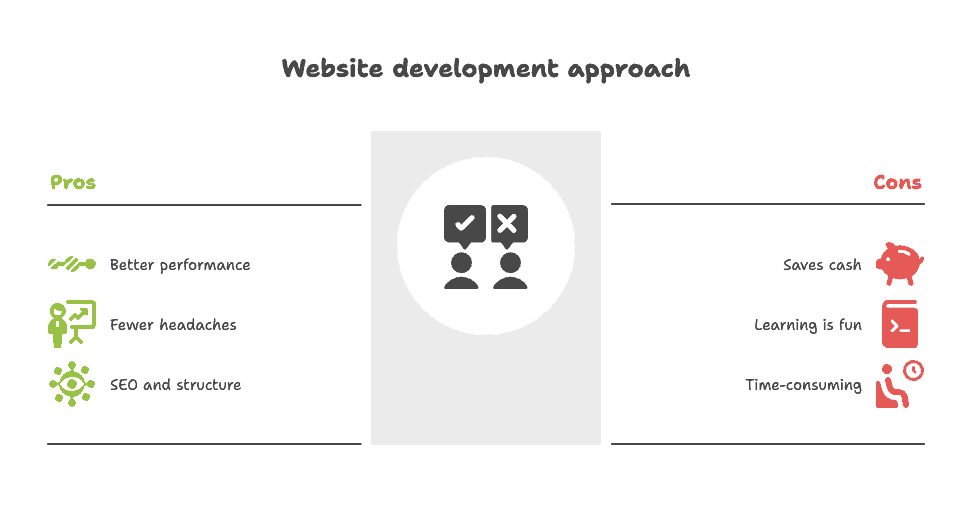
- Pros hire pros for outcomes. You’ll see comments like, “A professional would do a much better job,” and stories from folks who redid their DIY sites with developers and saw better performance and fewer headaches.
- DIY saves cash, but costs time. Many founders say they used Squarespace/Wix/WordPress to get moving, then upgraded later.
- SEO and structure matter more than the theme. Redditors point out that clean architecture, real content strategy, and basic speed work beat fancy templates.
- Learning is fun—until it’s not. People love learning new tools… right up until that launch deadline or busy season arrives. As a business owner, you have to ask yourself at some point, are you a web designer for your business or focused on selling your service or product?
The honest framework: Time vs. Money vs. Momentum
- Time: Do you have 20–40 focused hours in the next two weeks to research, build, write copy, and test?
- Money: Can you invest $2k–$10k+ for a tailored build that fits your business like a glove?
- Momentum: Do you need leads this month?
Pick two. Seriously. If “momentum” is a must, plan for visitor identification on day one. Form fills are rare (1–3% on many small-business sites). Visitor identification lets you work the other 97–99%—the people who looked, liked, and left.
If you hire a pro (DFY): what you actually get
Strengths
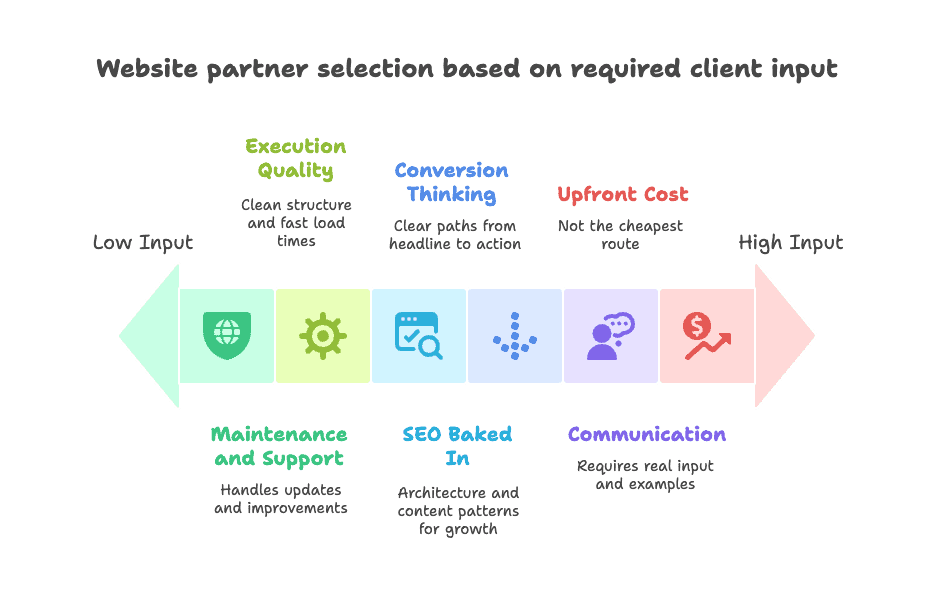
- Execution quality. Clean structure, fast load times, ADA-conscious layouts, and a CMS you won’t hate.
- SEO baked in. Architecture, schema, internal linking, and content patterns that set you up for growth.
- Conversion thinking. Clear paths: headline → proof → offer → action.
- Maintenance and support. Someone else patches, monitors, and improves things.
Trade-offs
- Upfront cost. Not the cheapest route.
- Communication. You’ll need to give real input—goals, audience, offers, examples.
How to pick the right partner (5-minute rubric)
- Show me three: a site like mine, a site with clear lead gen, and a site that loads under 2s.
- Explain your SEO plan in plain English (site structure, content plan, page speed).
- Tell me your conversion plan (what happens on mobile, above the fold, and after someone clicks).
- Install Reveal at launch. Non-negotiable.
- What happens month 2? Who handles updates, split-tests, and content cadence?
CORE CONNECT note: Our DFY builds include Reveal from day one. We connect it to your CRM (CRMHub, HubSpot, etc.), set alerts, and create simple playbooks: who to email, who to call, and how to follow up without being weird.
If you DIY: the real checklist
Where DIY shines
- You’re early to market, money’s tight, and you’re comfortable shipping “good enough.”
- Your offer is simple (one service, one location, one CTA).
- You want hands-on control and you’re not afraid to tweak.
Your practical stack
- Platform: WordPress (flexible) or Squarespace (fastest path).
- Theme/Builder (WP): Blocksy/Kadence for speed or Elementor for visual control.
- Analytics: GA4 + Search Console.
- Forms: Fluent Forms or Gravity Forms (WP) / native forms (Squarespace).
- Speed helpers: LiteSpeed/Cloudflare + image compression.
- Visitor identification: Reveal script installed the minute the site loads.
Your 1-week DIY build plan
- Day 1–2: Map pages (Home, Services, Pricing, About, Contact). Draft copy using a simple formula: Problem → What you do → Proof → Process → CTA.
- Day 3: Pick a fast theme, set global styles (colors, fonts, buttons), build the header/footer.
- Day 4: Build Home and a single Service page. Keep hero simple: headline, one sentence of proof, primary CTA.
- Day 5: Build About and Contact. Add a clean footer with phone, address, and social.
- Day 6: Ship Reveal. Connect to your CRM. Set alert rules (e.g., “Show me visitors from companies in Charleston with 10–100 employees”).
- Day 7: Speed pass (compress images, lazy-load media, test mobile), and publish.
What to avoid
- Over-the-top animations, slow sliders, and vague copy.
- “We do it all” positioning. Be specific.
- Launching without visitor identification. It’s like hosting a grand opening and locking the door when someone tries to walk in.
The lead math no one told you
Let’s say you get 1,000 visits/month. Your form converts at 2%. That’s actually a good conversion rate for normal websites. That’s 20 leads.
Without visitor identification, you’re blind to 980 visits. With a tool like Reveal, you’ll identify a meaningful slice of that group—often company names, roles, and enriched data. Even if only 10–20% of those “unknowns” become identifiable, you’ve got 98–196 extra contacts to work. That’s potential customers you can email, call, or retarget ethically and effectively.
Form fills are great. Silent intent is better—because there’s more of it.
Non-negotiable for both paths: Visitor identification
Whether you hire or DIY, this belongs on your list right next to “domain” and “hosting.”
What Reveal does for a small business site
- Identifies visitors who don’t fill forms, often with firmographic and contact context.
- Feeds your CRM so you can segment and follow up like a pro.
- Triggers alerts when your ideal prospects show up (e.g., local contractors, dental offices, boutique gyms).
- Closes the loop on paid ads by showing you who actually landed on your pages.
A tidy setup (15–30 minutes)
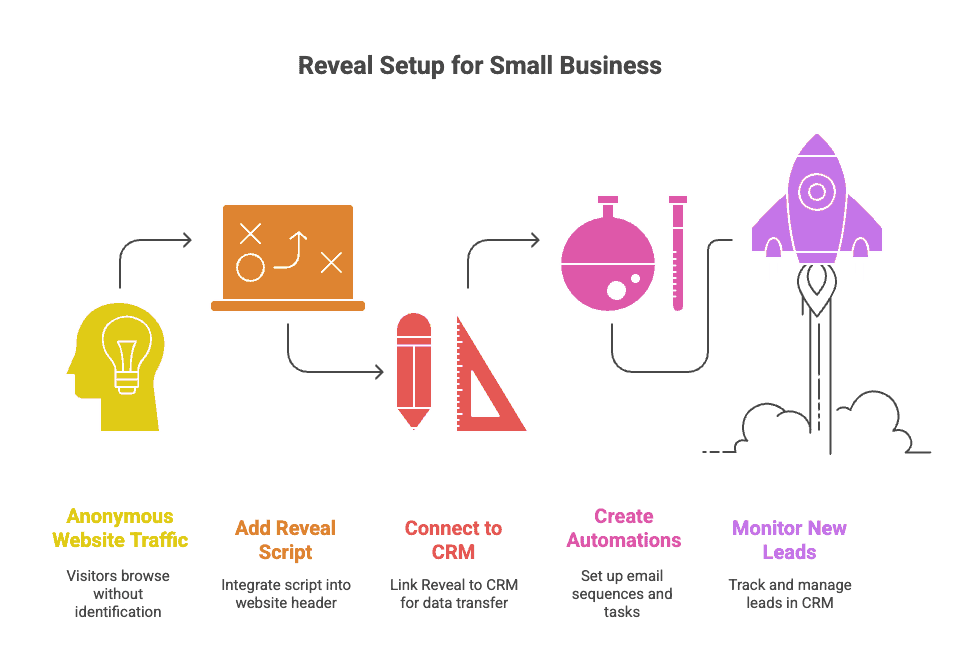
- Add the Reveal script to your site (we can place it in your WP header or site-wide settings).
- Connect to your CRM (FluentCRM, HubSpot, Zoho, etc.).
- Create two automations:
- Warm Visit → Email Sequence: A short, respectful 3-email series with value upfront.
- High-Intent Visit → Task: Create a call task when someone views Pricing, Services, or a demo page twice in 7 days.
- Add a “New Leads from Reveal” view to your CRM so your team can work it daily.
Want examples? We’ve got playbooks for home services, fitness studios, medical, real estate, and professional services.
Costs you should actually plan for
DIY (monthly)
- Hosting: $15–$35 monthly
- Domain: $15 annually
- Email/CRM: $50–$800+
- Reveal: based on volume/plan
- Your time: the real cost—usually 20–40 hours upfront + 8-12 hours/month
Hire a pro (project + monthly)
- Build: $2k–$10k+ depending on scope
- Hosting & care: $100–$300+ (managed, secure, hands-on)
- CRM + Email: Included with hosting plan
- Reveal: $500 monthly
- Ongoing: content updates, SEO, and split-tests (this is where growth happens)
If a proposal doesn’t include visitor identification, analytics, and a follow-up plan, ask why.
“Okay, but what should I actually do?”
Choose DIY if…
- You can block a week and keep scope small.
- You’re comfortable writing your own copy.
- You’ll ship with Reveal and a simple follow-up playbook.
Hire a pro if…
- You need leads soon and can invest cash to save time.
- You want SEO foundations done right the first time.
- You prefer a partner who handles hosting, security, and ongoing improvements—plus Reveal setup and reporting.
Middle path (our favorite for many owners):
- Start with a lean professional build, launch Reveal day one, and run a light ad campaign to your top service page. Prove the offer. Add content and SEO once leads start flowing.
Real talk from the CORE CONNECT team
We build sites for a living, but we’ll tell you straight: a modest DIY site with visitor identification beats a gorgeous brochure site with no follow-up—every single time. If you’re unsure, we’re happy to help you scope a lean build, connect Reveal, and give you three follow-up templates tailored to your niche.
Subreddits you can ask next
Next in this Ask Reddit Series:
- “How much should a small business website actually cost?”
- “Squarespace vs. WordPress vs. Webflow—what’s easiest to live with?”
- “What pages do I really need to rank and convert in a local market?”