
Step-by-Step Guide to Website Design
Why Website Design Matters More Than Ever
Website design is the process of planning, creating, and organizing the visual layout, structure, and user experience of a website to achieve business goals while making it easy for visitors to steer and take action.
Key Elements of Effective Website Design:
- Visual Hierarchy – Organizing content so visitors instantly understand what matters most
- Responsive Layout – Ensuring your site works perfectly on phones, tablets, and desktops
- Fast Performance – Optimizing page speed and Core Web Vitals for better rankings
- Clear Navigation – Making it effortless for users to find what they need
- Conversion Focus – Designing pages that turn visitors into leads and customers
- SEO Foundation – Building clean code and structure that search engines can crawl and rank
Most businesses struggle with websites that look good but don’t perform. Traffic comes in, but conversions stay flat. The design feels disconnected from the brand. And it’s nearly impossible to tell if the site is helping growth or quietly holding it back.
The problem usually isn’t the design itself—it’s the foundation. When websites are built on proprietary platforms, loaded with unnecessary plugins, or optimized for aesthetics instead of results, they become expensive liabilities instead of long-term assets.
Good website design fixes this. It combines visual appeal with technical performance, accessibility, and conversion strategy. It creates a digital ecosystem you own and control—one that compounds value over time instead of requiring constant paid traffic to stay visible.
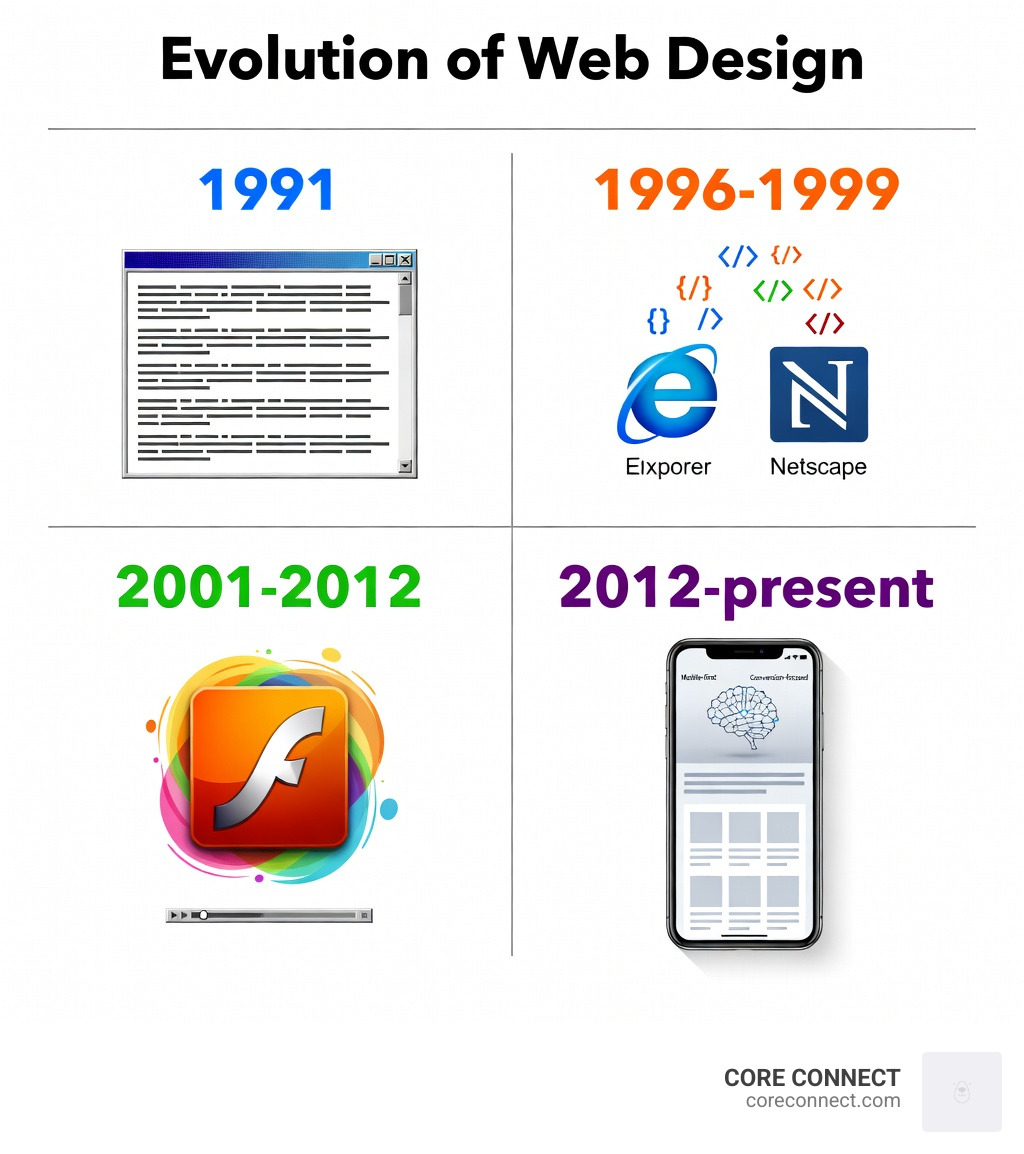
Since the web launched in 1991, website design has evolved from static HTML pages to dynamic, mobile-first experiences powered by AI and real-time data. Today, responsive design isn’t optional—it’s expected. Google prioritizes mobile-friendly sites. Users abandon slow pages in seconds. And websites that ignore accessibility or SEO fundamentals get buried in search results.
This guide walks through the principles, tools, and workflows that separate high-performing websites from the ones that just look nice. You’ll learn how responsive design works, why accessibility matters for everyone (not just users with disabilities), and how to integrate SEO and conversion strategy into every design decision.
I’m Stephen Sovenyhazy, founder of CORE CONNECT, a website design and marketing firm based in Charleston, South Carolina. Over the past 20+ years, I’ve built and scaled digital platforms across healthcare, marine, fitness, and professional services—helping businesses increase organic traffic by 100–300% and turn their websites into owned, measurable growth assets through strategic website design.
Core Principles of Effective Website Design
When we sit down to start a new website design project in Charleston or Mount Pleasant, we don’t start with colors or flashy animations. We start with the core principles that make a site functional. A beautiful site that no one can steer is just an expensive digital paperweight.
Effective design is about balance. It’s the marriage of aesthetics and utility. According to research, the role of aesthetics is significant, but it should never clash with content clarity. For B2B sites especially, a clean, professional look that builds reputation is far more valuable than a site that looks like a neon-lit arcade.

Visual Hierarchy and Layout
Visual hierarchy is the “roadmap” you provide for your visitors’ eyes. Without it, a user lands on your page and feels overwhelmed—like walking into a room where everyone is shouting at once. We use size, color, and placement to tell the visitor, “Look here first, then here.”
Most users scan web pages in specific patterns:
- The F-Pattern: Common for text-heavy pages like blog posts. Users scan the top, then move down and scan horizontally again, eventually scanning vertically down the left side.
- The Z-Pattern: Ideal for landing pages with less text. The eye moves from the top left to the top right, then diagonally down to the bottom left, and finally across to the bottom right (usually where your Call to Action lives).
Negative space, or “white space,” is our best friend here. It isn’t “wasted” space; it’s the breathing room that allows focal points to stand out. By using enough negative space, we ensure that your message doesn’t get lost in a “tag soup” of cluttered elements.
Typography and Color Theory
Typography is about more than just picking a “pretty” font. It’s about readability and brand consistency. We recommend limiting your site to two or three similar typefaces to maintain a cohesive look. Using “safe fonts” ensures that your text displays correctly across all browsers and devices.
There are many 20 Do’s and Don’ts of Effective Web Typography that we follow, such as avoiding center-aligned text for long paragraphs and ensuring there is enough contrast between the text and the background.
Color psychology also plays a massive role. In the Lowcountry, we often see brands using blues and greens to evoke trust and calmness, which works well for professional services or marine industries. Whatever your palette, it must reflect your brand identity consistently across every page.
Accessibility and Inclusivity
Accessibility is not just a “nice to have” feature; it is a fundamental requirement of modern website design. The UN estimates that over 1 billion people worldwide live with some form of disability. If your site isn’t accessible, you are essentially locking your digital front door to a huge portion of your potential audience.
We follow the Web Accessibility Initiative (WAI) guidelines and WCAG standards to ensure everyone can use the sites we build. This includes:
- Contrast Ratios: Ensuring text is easy to read against its background.
- Alt Text: Providing descriptions for images so screen readers can explain them to visually impaired users.
- Keyboard Navigation: Making sure a user can steer the entire site without a mouse.
- Disabling Animations: Providing options to stop or hide motion graphics, which can be vital for users with vestibular disorders.
Responsive vs. Adaptive Layouts
In the early days of the web, we designed for one screen: the desktop monitor. Today, your visitors might be using a massive 30-inch 4K display, a tablet, or a smartphone with a cracked screen while standing in line at a coffee shop in Charleston. Your website design must be ready for all of them.
| Feature | Responsive Design | Adaptive Design |
|---|---|---|
| Approach | One layout that “fluidly” adjusts to any screen size. | Multiple fixed layouts created for specific device types. |
| Code Base | Single set of HTML/CSS code. | Often requires multiple templates or server-side logic. |
| Flexibility | Extremely high; works on devices that haven’t been invented yet. | Limited to the specific “breakpoints” the designer created. |
| User Context | Focuses on screen resolution. | Can detect user context like low bandwidth or device type. |
The Importance of Responsive Website Design
Responsive design is now the industry standard. It uses fluid grids and flexible images (often Scalable Vector Graphics or SVGs) that resize based on the “viewport” or screen size. This is essential because of Rolling out mobile-first indexing.
Google now looks at the mobile version of your site first when deciding where to rank you in search results. If your mobile experience is clunky or requires “pinch-to-zoom,” your rankings—and your user engagement—will suffer. Responsive design ensures cross-device compatibility with a single URL, making it easier for you to manage and for search engines to crawl.
Adaptive Design and User Context
While responsive design is the “go-to,” adaptive design has its place, especially when user context is critical. Adaptive design can detect if a user is on a low-bandwidth connection and serve a smaller, text-based infographic instead of a heavy high-definition video. It allows for “progressive improvement,” where the core content is accessible to everyone, but users with the latest hardware get an improved experience.
For example, an adaptive site might show larger, easier-to-tap buttons only when it detects a mobile device, or it might simplify a complex data dashboard for a smaller screen to keep the user from feeling overwhelmed.
The Technical Foundation: SEO and Interactivity
A website is like an iceberg; the design is what you see above the water, but the technical foundation below the surface determines whether it stays afloat. At CORE CONNECT, we believe that website design should never be separated from SEO and performance engineering.
Integrating SEO and Marketing Strategy
SEO isn’t something you “bolt on” after the site is finished. It starts with the code. We use the W3C Markup Validation Service to ensure our HTML and CSS are clean and standard-compliant. Clean code is easier for search engines to read, which helps your page rank higher.
Beyond code, the layout itself should support your marketing strategy. This includes:
- Keyword Optimization: Placing your most important terms in headers and metadata.
- Conversion Rate Optimization (CRO): Designing clear “Call to Action” buttons and lead generation forms that are easy to find.
- Page Speed: Optimizing images and using modern hosting to ensure your site loads in under two seconds.
Enhancing Experience with Animations and Components
Modern website design often incorporates interactive elements to keep users engaged. Platforms like Dribbble showcase over 380,000 inspirational designs, many of which use smooth scrolling and micro-interactions to create a “premium” feel.
However, there is a fine line between “engaging” and “annoying.” For instance, research shows that automatic image carousels or “sliders” are often ineffective. They can hurt your SEO, slow down your page, and most users simply ignore them. Instead, we recommend using:
- Scroll-based Animations: Elements that fade in as the user moves down the page.
- Interactive Components: Accordions or tabs that allow users to expand the content they are interested in without cluttering the page.
- Metrics-Reporting Elements: Using tools like Google Web Designer to create components (like video players) that report engagement data back to you.
Professional Workflow and Tools
Building a professional website isn’t a guessing game. It requires a structured process to ensure nothing gets missed. Whether you are using a “no-code” builder or custom programming, the workflow remains largely the same.
Step-by-Step Process for Professional Website Design
We follow a proven 3-step process that reduces overwhelm for our clients in South Carolina:
- Findy & Layout: We start by defining the target audience and the site’s purpose. We create a sitemap (a “skeleton” of the site) and wireframes (black-and-white layouts) to approve the structure before any “painting” begins.
- Build & Develop: Once the layout is approved, we move into full visual design and development. This is where we add colors, fonts, and functionality. We ensure the site is built on a scalable platform like WordPress, which currently powers about 35% of the internet.
- Edits & Launch: We review every page, test for mobile responsiveness, and request final edits. After launch, we provide training so you can manage your site with confidence.
Leveraging AI and Modern Design Software
The tools available today have made website design more accessible than ever.
- Squarespace Blueprint AI and other “Design Intelligence” tools can help draft copy and suggest layouts based on your industry.
- Google Web Designer is fantastic for creating HTML5-based designs and animations that run on any device.
- Nicepage offers a massive library of over 10,000 templates and 1,000,000+ icons to jumpstart the creative process.
- Wix provides a drag-and-drop editor that balances ease of use with advanced capabilities for those who want to build their own site quickly.
While these tools are powerful, they are most effective when guided by a professional who understands the underlying principles of UX and SEO.
Frequently Asked Questions
What is the difference between responsive and adaptive design?
Responsive design uses one fluid layout that stretches or shrinks to fit any screen size. Adaptive design uses several fixed layouts that are “triggered” when the site detects a specific device (like a phone or a tablet). Most modern sites use responsive design because it is easier to maintain and better for SEO.
How does website design impact SEO and search rankings?
Search engines like Google don’t just “read” your text; they “experience” your site. If your website design is slow, not mobile-friendly, or has messy code, Google will penalize you. High-quality design improves “dwell time” (how long people stay on your site) and reduces “bounce rate,” both of which tell Google your site is valuable to searchers.
What are the essential steps to design a website from scratch?
The essential steps are:
- Define your goals and audience.
- Create a sitemap and wireframe.
- Choose the right platform (like WordPress or Squarespace).
- Design the visual elements (colors, typography).
- Build the pages and integrate SEO.
- Test on all devices and launch.
Conclusion
At CORE CONNECT, we know that a website is more than just a digital brochure—it’s the engine of your business growth. Based in Charleston, SC, we specialize in creating conversion-focused website design that gives you clarity and control over your marketing.
By combining beautiful, responsive design with our proprietary Reveal Marketing Hub, we don’t just give you a site; we give you a system. Our visitor intelligence technology exposes who is visiting your site and what they are doing, turning anonymous traffic into actionable sales leads. Whether you need a fully managed service or the tools to run your marketing in-house, we are here to help you scale your business in the Lowcountry and beyond.
Ready to turn your website into a growth asset? Step-by-Step Guide to Website Design is just the beginning. Let’s build something that works as hard as you do.